Describe it. Watch the diagram draw itself.
Type what you need in plain words, a process, a lesson, a system or a plan, and Weave, the AI inside Motionix, builds it shape by shape on an editable canvas. Nothing comes back as a flat picture: every box, line and label stays yours to move, restyle or animate.
The editor is free. No card needed.
HowThree steps
How it works
01
Describe
Ask for a flowchart, a lesson page, a carousel or a change to the page you have open.
02
Watch it build
Shapes, connectors and motion arrive on your canvas while Weave works, and it checks its own work.
03
Keep editing
Move, restyle or delete anything it made. One undo takes back a whole run.
WhatFeatures
Text to diagram, done properly
Real objects, not an image
Weave uses the same shapes, connectors, text and styles you do, so the result is a document, not a picture of one.
Text you can read
Labels are real text in real typefaces, spelled as you wrote them and editable afterwards.
Motion included
Ask for a flow that plays in order and Weave sets the connector effects and the build order too.
Edits as well as drafts
Point at the page you have open: "make the decision red", "add a retry step", "turn this into a carousel".
You stay in charge
Stop it at any point and keep what it made. Nothing is final until you say so.
Any kind of page
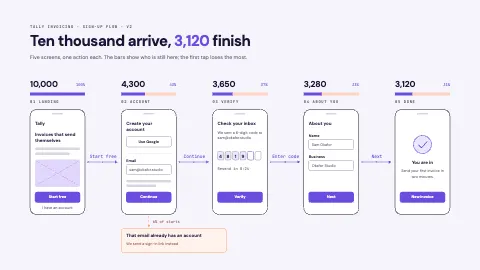
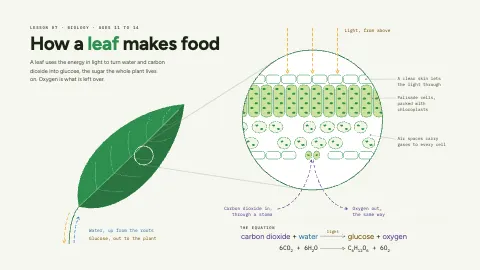
Flowcharts, architecture, lessons, timelines, frameworks, social posts and slides.
ExamplesTemplates
Pages like the ones Weave makes
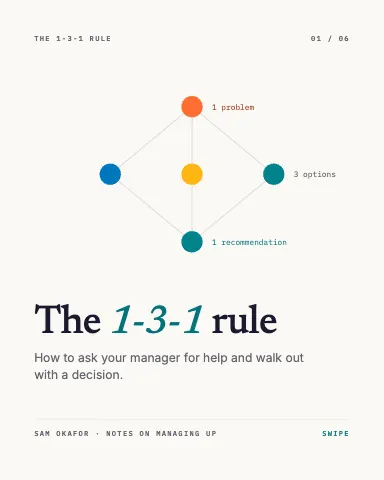
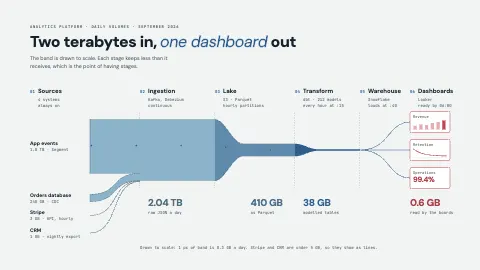
Each one is an ordinary page you can change. Open it, then edit, restyle or animate anything on it.
FAQQuestions
Questions, answered.
Can AI turn text into a diagram?
Yes. Describe the diagram in a sentence or a paragraph and Weave builds it on the Motionix canvas from editable shapes, connectors and text.
How is this different from an AI image generator?
An image generator paints pixels, so its text is often misspelled and nothing can be moved. Weave places real objects: every label is editable text and every line stays attached to its shapes.
Can I edit what the AI makes?
Everything. Weave makes an ordinary Motionix page, so you can move, restyle, animate or delete any part, by hand or by asking for a change.
Is Weave free?
Weave comes with Pro and Advanced, each with a monthly allowance. The editor and templates are free without it.
What can I ask for?
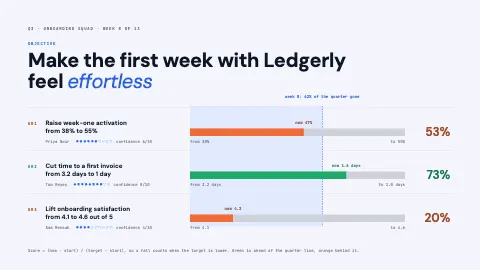
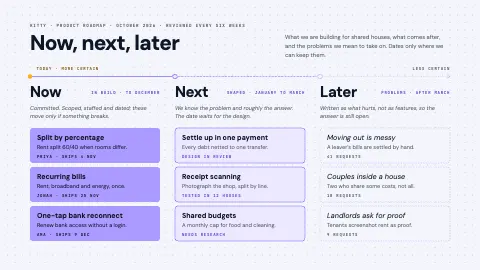
Processes, sign-up flows, system architecture, lesson slides, revision sheets, OKRs, roadmaps, timelines, carousels and posters, or a change to the page you have open.