Free
$0forever
For making, printing and sharing stills.
- The whole editor: every shape, connector and animation
- All 120 templates, and unlimited projects
- Present mode, playing every motion live
- Export PNG, JPG, WebP, SVG and PDF
Fig. 01A studio for visuals that explain
Lessons, posts, slides, flowcharts, menus and diagrams, for teachers, creators, founders and anyone with something to explain. Pages build up in order, and every export plays exactly as it does on your canvas.
The editor is free, and every new account can try Weave free. No card needed.
Four pages from the template gallery, exported to video by Motionix itself. Drag the playhead: every frame is the canvas.
Fig. 02What you can make
A lesson for Monday, a carousel for Thursday, a poster for the shop window. Make it once, then present it, post it, print it or send it as a looping clip.
Concepts, processes and revision pages that build up one step at a time, for a classroom screen or a printed sheet.
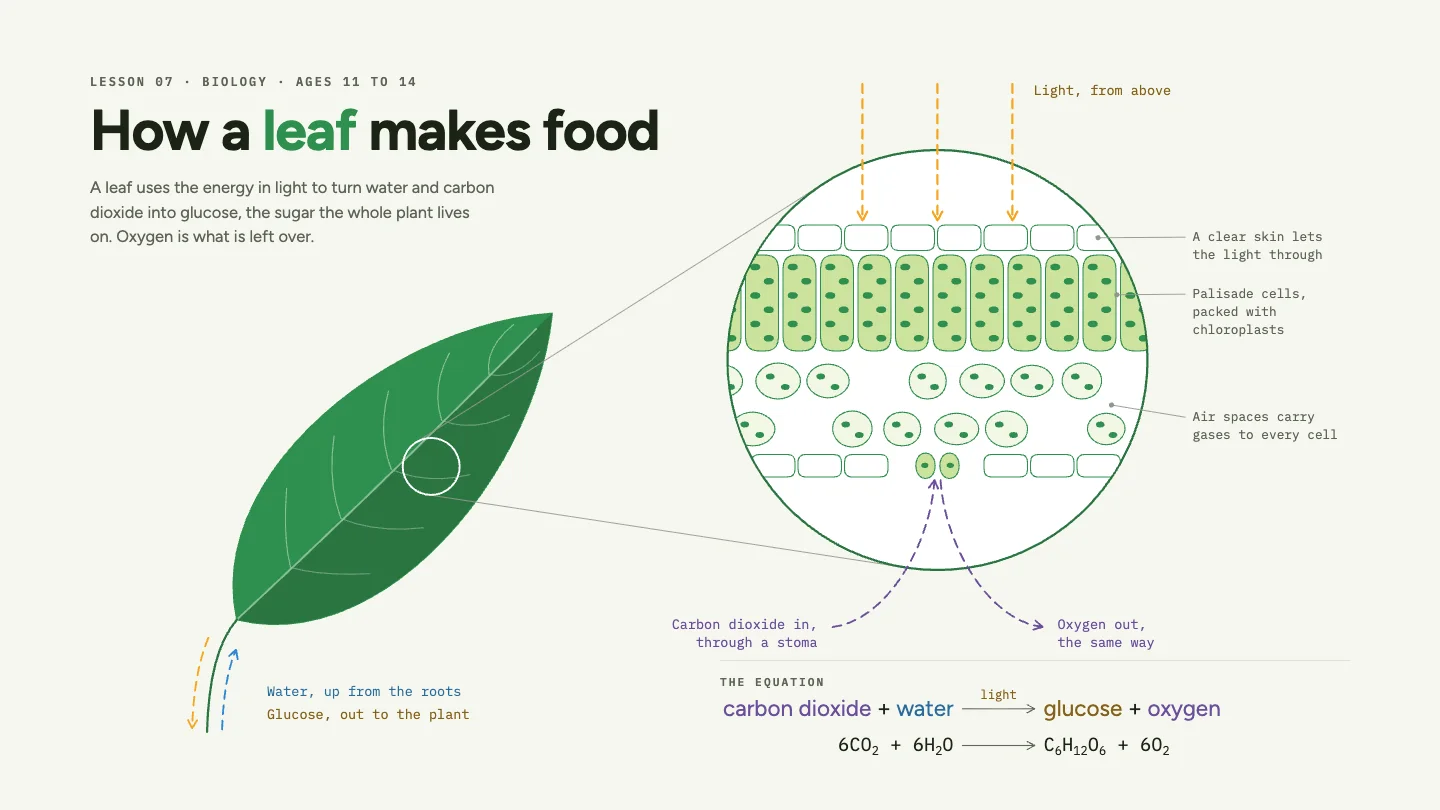
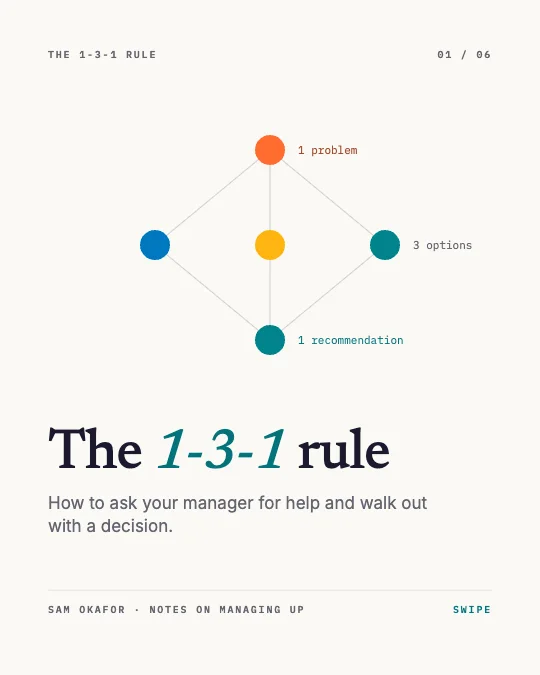
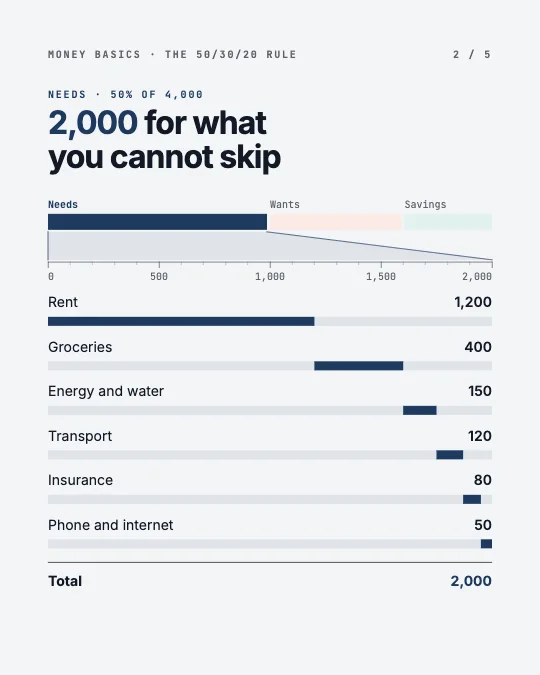


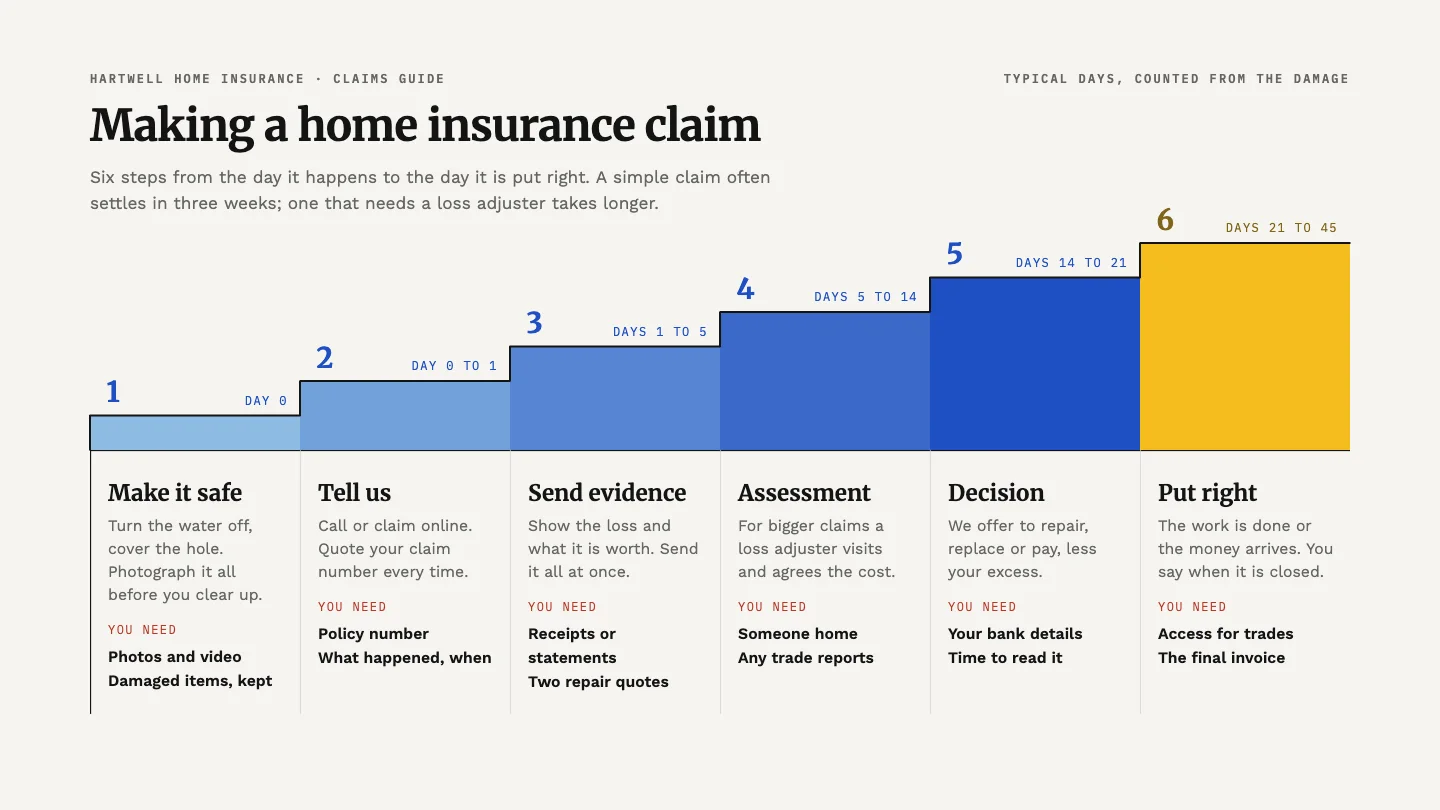
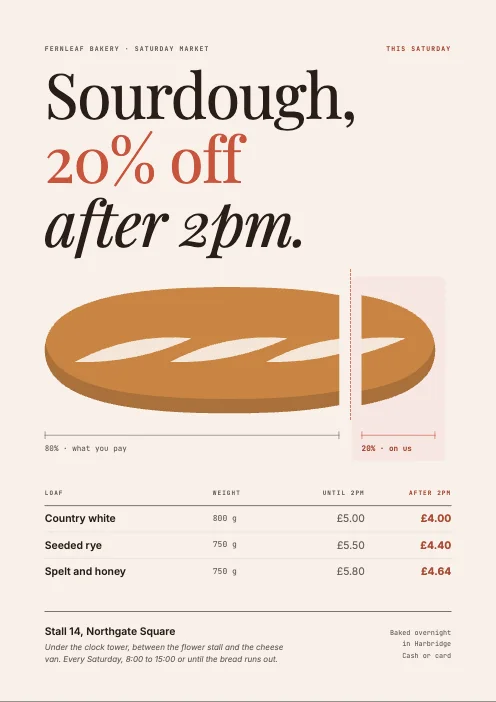
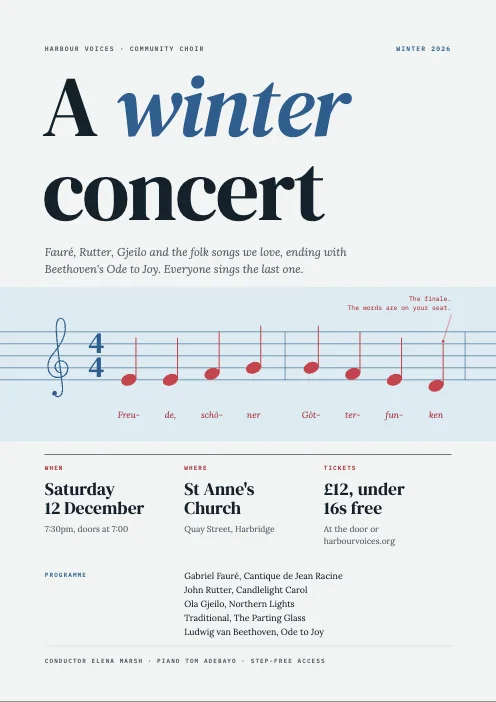
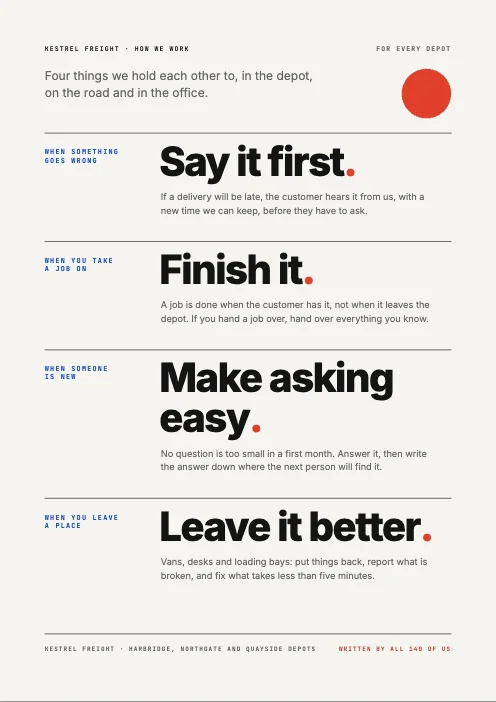
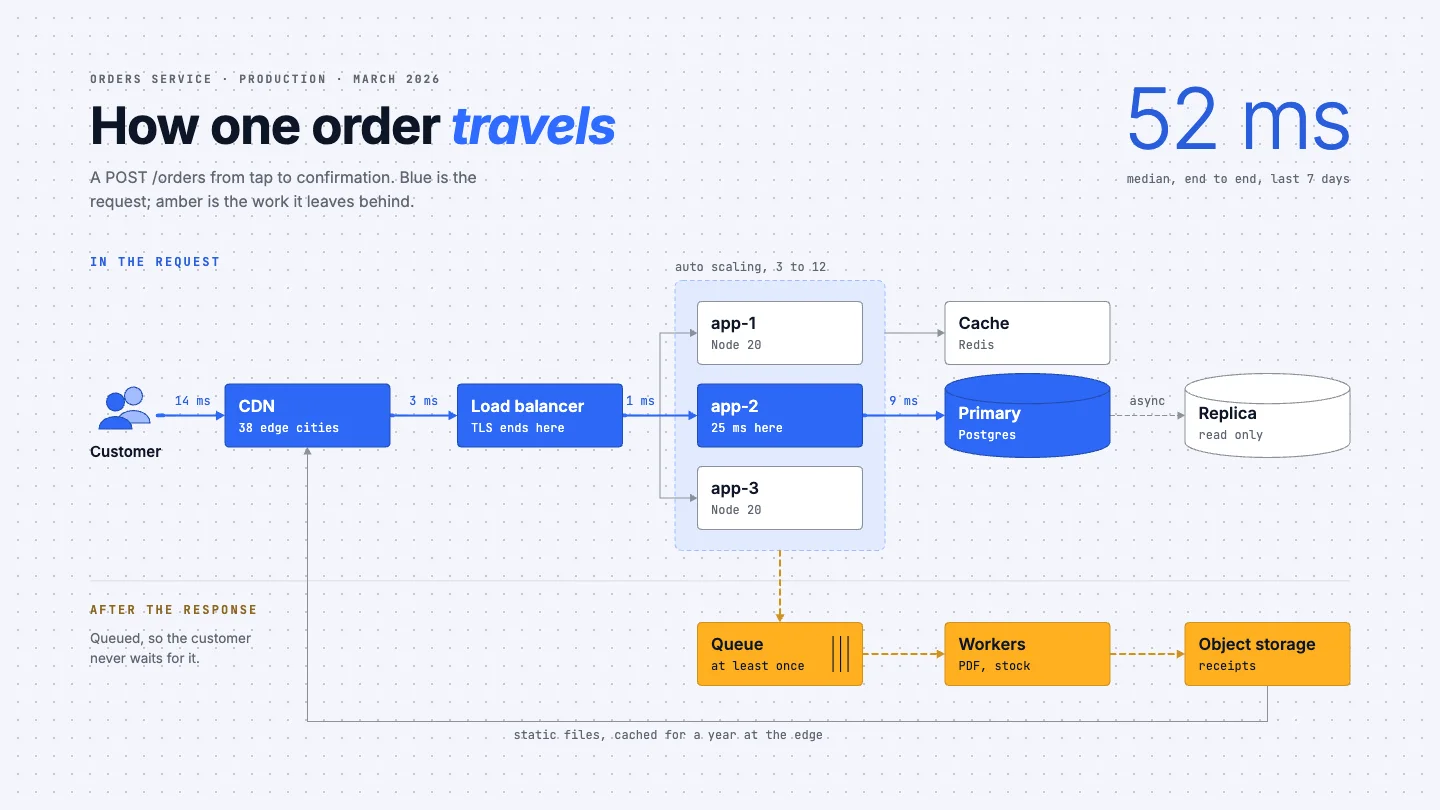
Fig. 03Who it is for
A teacher drawing the water cycle and an engineer drawing a data centre need the same things: a page that looks considered, and a way to show what happens in order.
Lesson slides, concept maps, formula sheets and worked examples that build one step at a time.
Revision notes, project charts, presentations and the figures for a thesis.
Carousels, thumbnails, Short covers and explainer scenes that move.
Pitch decks, roadmaps, org charts, OKRs and the plan for this quarter.
Patient guides, care pathways and posters people actually read.
Menus, offers, price lists and posts for WhatsApp and Instagram.
Architecture, networks, circuits and pipelines with traffic you can see.
Wedding timelines, chore charts, recipes and a plan for the year.
Fig. 04Motion
Rain falls, a river runs, a step follows the last. Give any line a flow and anyone can see where things go; build a page up in order, then export a looping GIF or a video that matches your canvas frame for frame.
3.1
Dashes, packets, comets, chevrons and more, each with its own speed, size and colour.
3.2
Decide what appears first. The page builds itself in that order, live and in every export.
3.3
One renderer draws your canvas and every frame you export, so nothing shifts on the way out.
Fig. 05Weave
Weave is the AI built into Motionix. Say what you need in plain words and it builds the page on your canvas, shape by shape, with the same tools you use. Everything it makes stays yours to edit.
01
Ask for a lesson, a carousel, a flowchart or a change to the page you have open.
02
Shapes, connectors and motion arrive on your canvas while Weave works.
03
Move, restyle or delete anything it made. One undo takes back a whole run.
Every new account can try Weave free, with no card needed. After the trial, Weave comes with Pro and Advanced.
Fig. 06Templates
120 templates in ten categories, from lessons and carousels to menus, patient guides and system diagrams. Each one is an ordinary page you can change.
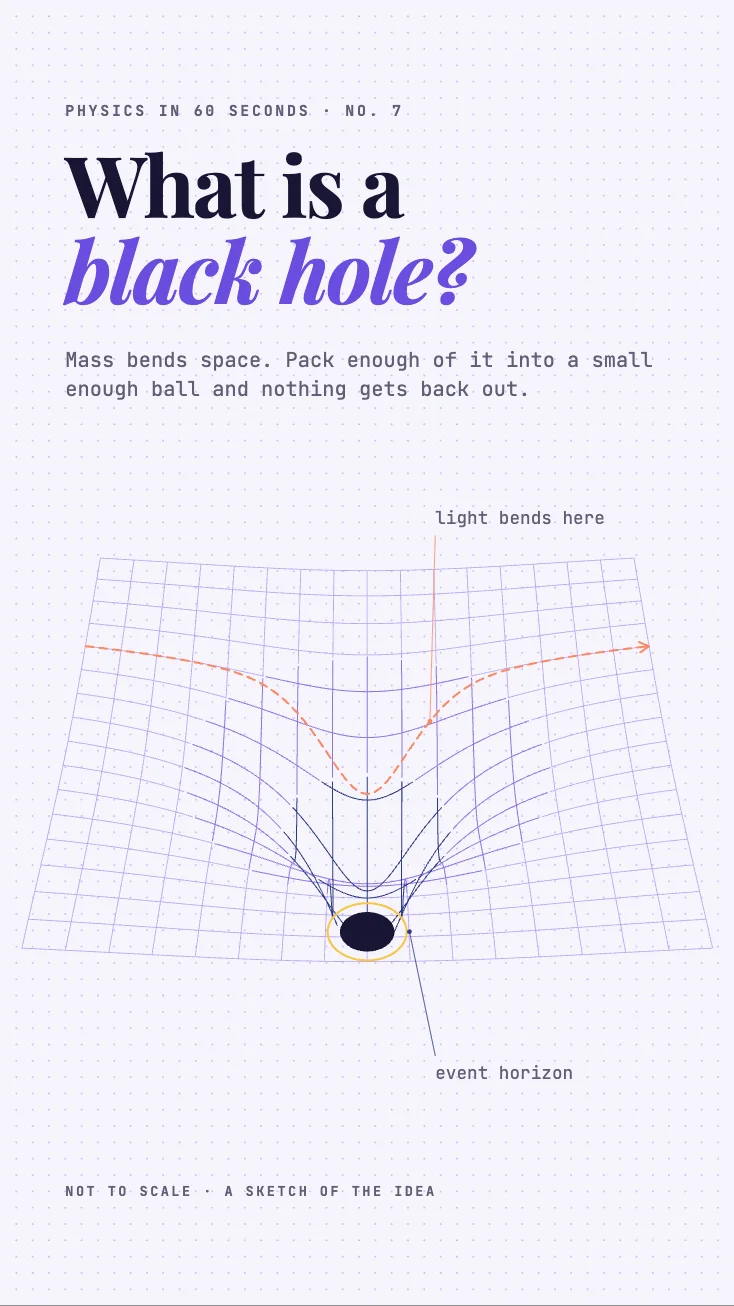 What is a black hole?Covers
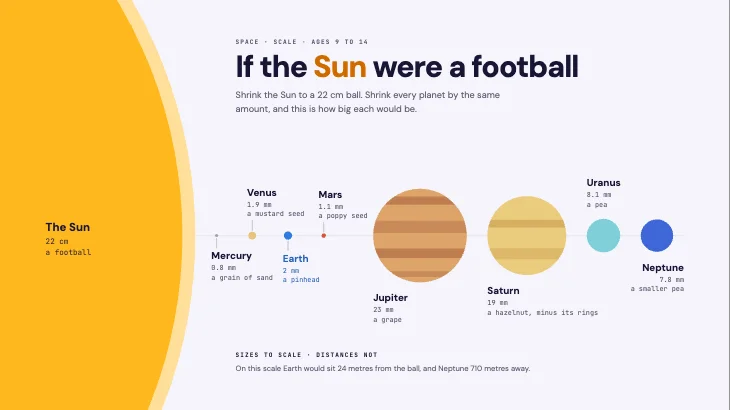 If the Sun were a footballLessons
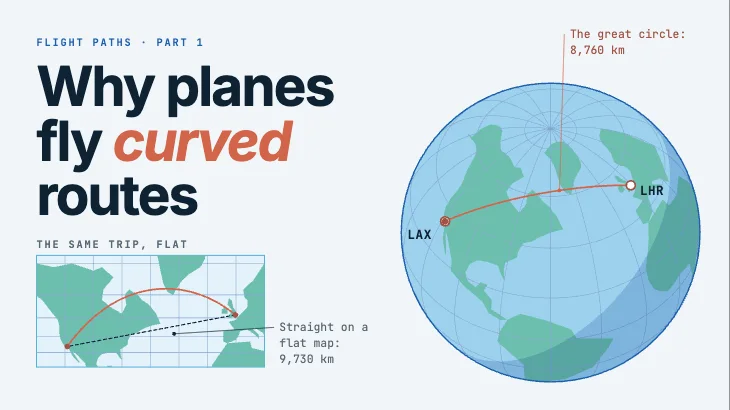 Why planes fly curved routesCovers
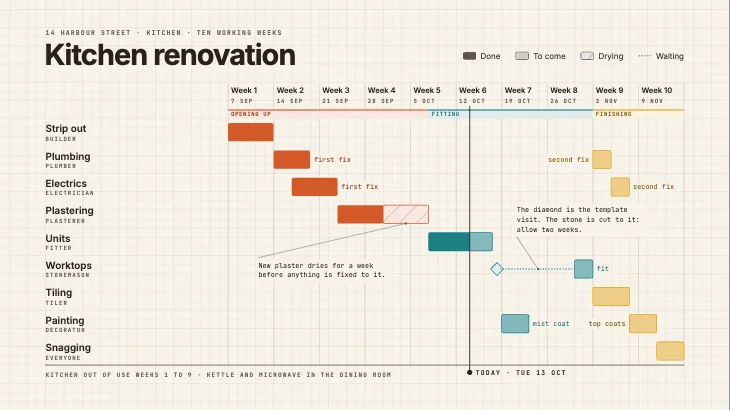 Kitchen renovationPlans
 Grapefruit and your medicinesHealth and science
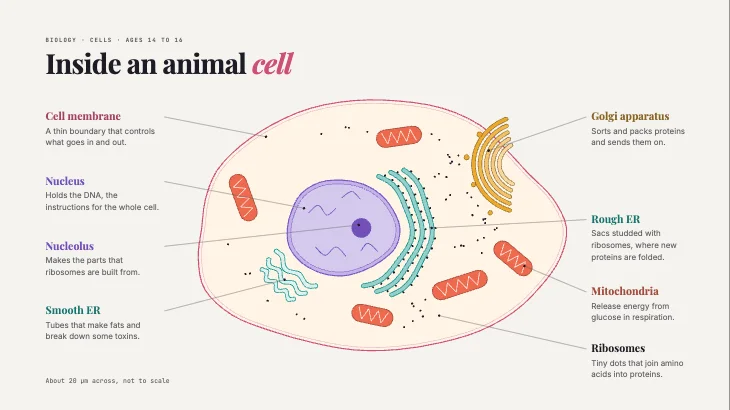 Inside an animal cellLessons
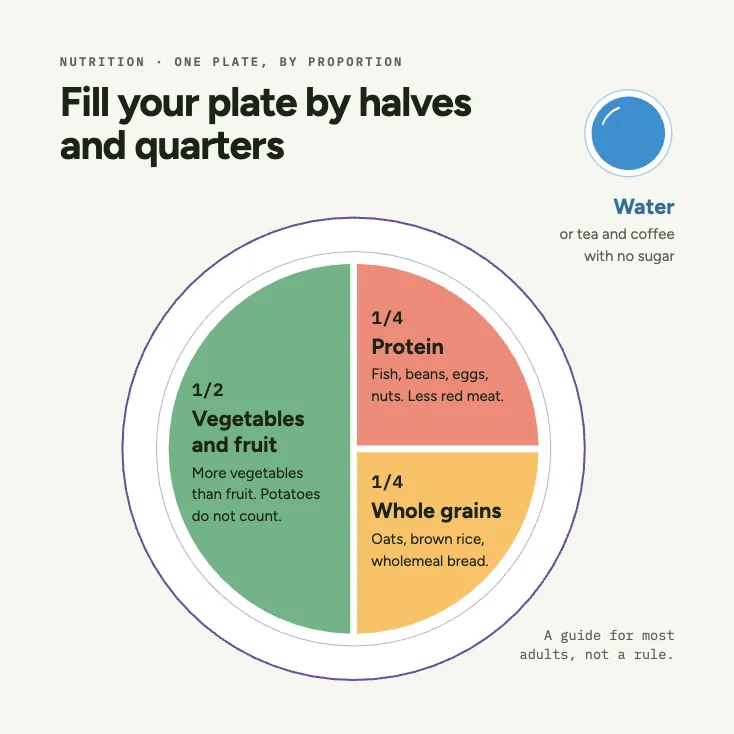 Fill your plate by halvesHealth and science
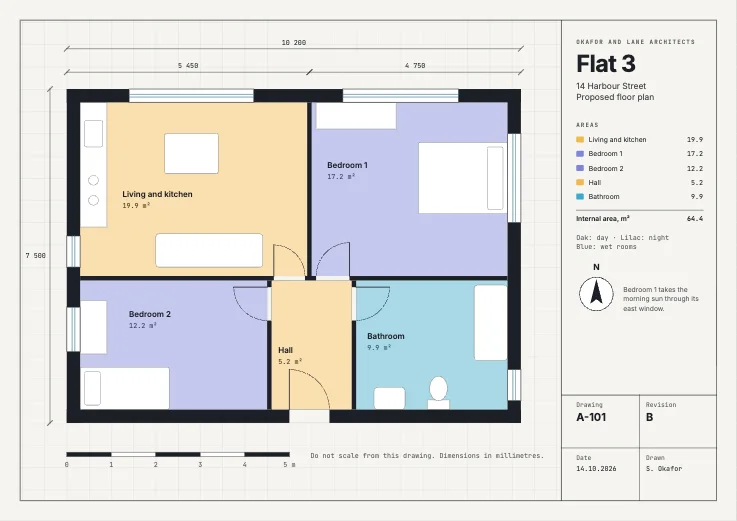 Flat 3 floor planTechnical
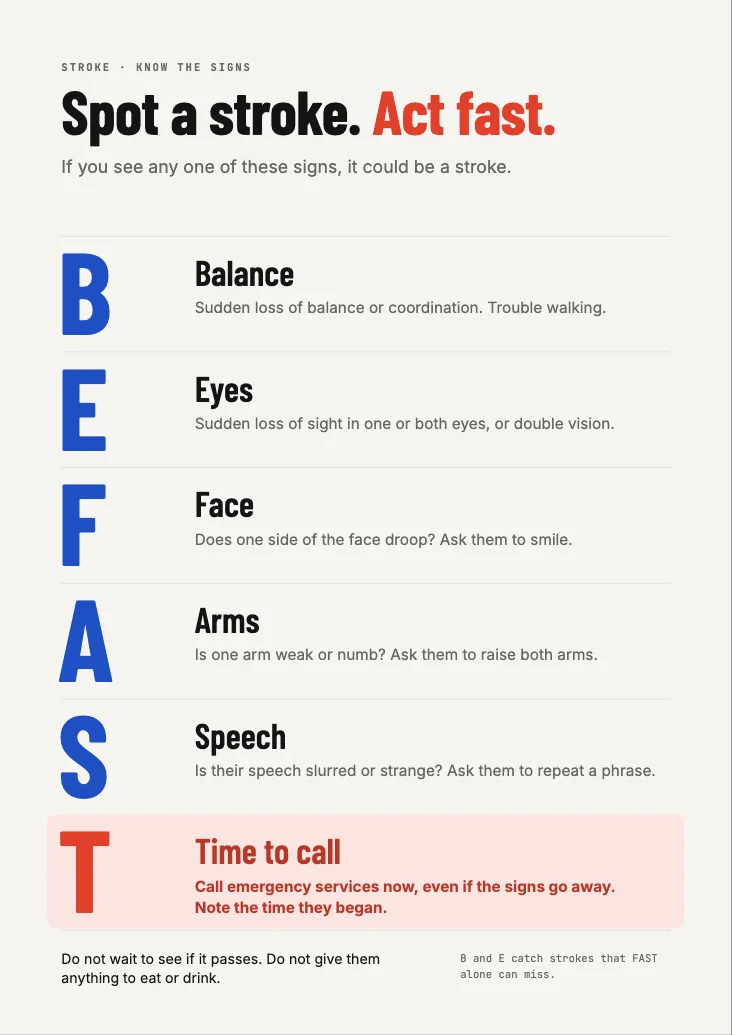 Spot a strokeHealth and science
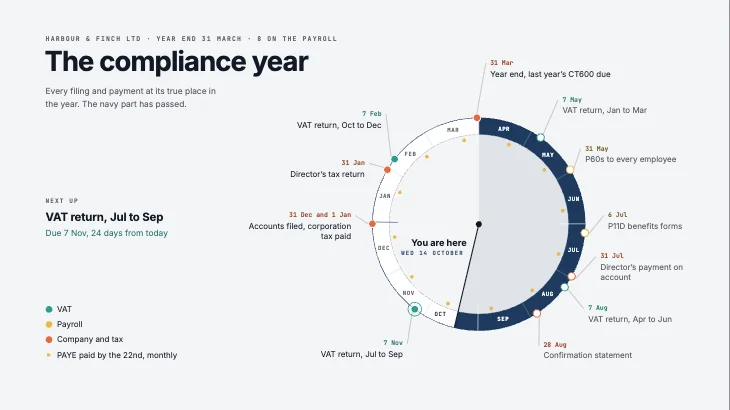 The compliance yearPlans
 1 in 3 adultsSocial posts
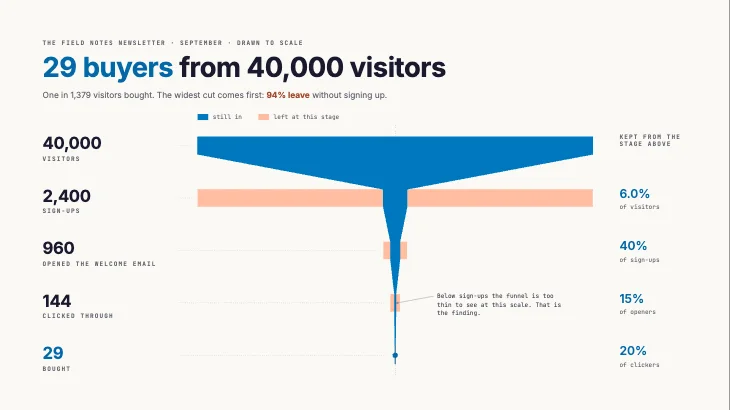 29 buyers from 40,000Frameworks
Fig. 07Pricing
$0forever
For making, printing and sharing stills.
$180a year, $15 a month
For sharing pages that move.
$372a year, $31 a month
For making with Weave every day.
Prices in US dollars. You pay the same price in your own currency where Paddle offers it, and tax is added at checkout where it applies. Paddle, our merchant of record, handles payment.
Fig. 08Questions
Yes. The full editor and every template are free, with no time limit, and so are still exports: PNG, JPG, WebP, SVG and PDF. Every new account can try Weave, the AI, free with no card needed; after the trial, Weave and GIF and video export come with Pro and Advanced.
Describe a lesson, a carousel, a diagram or a change, and Weave builds it on your canvas with the same shapes, connectors, styles and motion you use. It checks its own work as it goes. You can stop it at any point and keep what it made, and one undo takes back a whole run.
You do. Your projects, uploads and exports are yours, and we use them only to run Motionix for you. When you use Weave, your request and the page it works on are sent to the AI provider that produces the answer. The Privacy Policy has the details.
Yes, from Settings, under Billing. Switch between Pro and Advanced, or between monthly and yearly, whenever you like; Paddle settles the difference on your next bill. If you cancel, your plan stays on until the end of the period you paid for, then your account returns to Free with all your work in place. See the Refund Policy for refunds.
PDF, SVG, PNG, JPG and WebP for stills, on every plan. GIF, MP4 and WebM for motion, with Pro and Advanced. Motion exports play every animation exactly as on your canvas, and stills show the finished page.
Motionix runs in your browser. Your projects and uploads are saved to your account on Amazon Web Services, so they follow you to any computer. Saving to your account and using Weave need an internet connection.
No. Motionix works in current versions of Chrome, Edge, Safari and Firefox, and Chrome and Edge support every feature.
Paddle, our reseller and merchant of record. Paddle runs checkout, charges any sales tax, VAT or GST, and sends your invoices. You can pay by card, PayPal, Apple Pay or Google Pay, and in India by UPI on monthly plans. Your payment details go to Paddle, never to us.