GuideAbout 10 minutes
How to make an animated flowchart GIF
The short answer
In Motionix, draw or open a flowchart, give its connectors a flow effect, press Sequence the diagram so each step appears as its arrow arrives, then choose Export, GIF (animated). The GIF loops seamlessly and matches the canvas frame for frame.
What you need
- A Motionix account (free)
- Pro or Advanced for the GIF export itself
- Any current browser: Chrome, Edge, Safari or Firefox
Step 1Start the flowchart
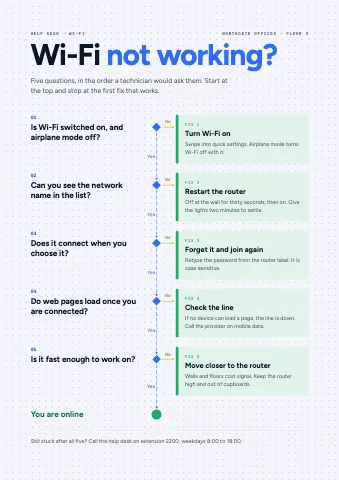
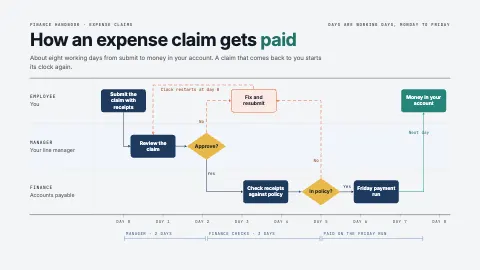
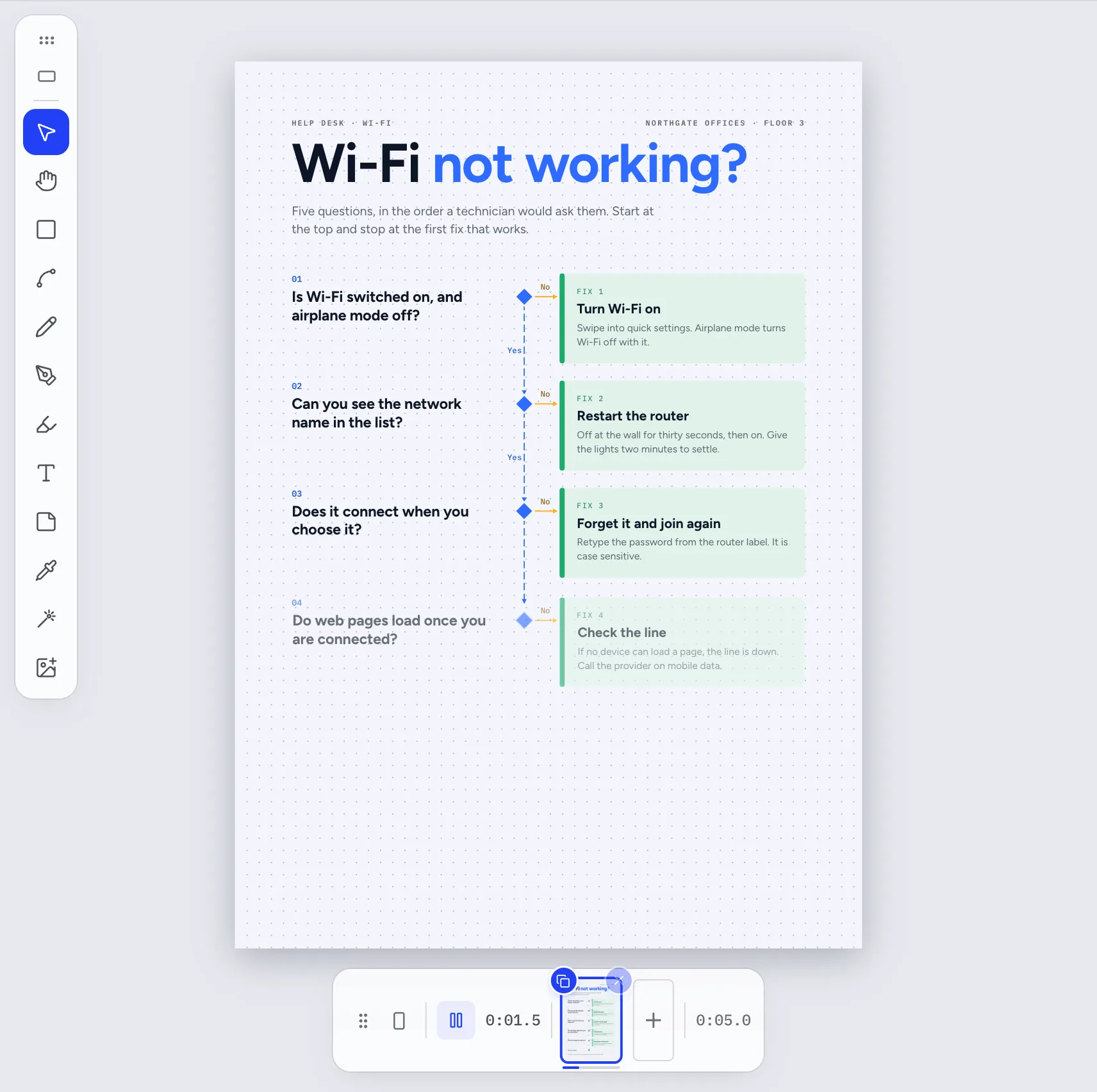
Open a process template, such as Wi-Fi not working?, or start a blank page. To draw your own, press R and drag for each shape, then press C and drag from one shape to the next to connect them. Connectors snap to the shapes and stay attached when you move them.
Step 2Give the arrows a flow
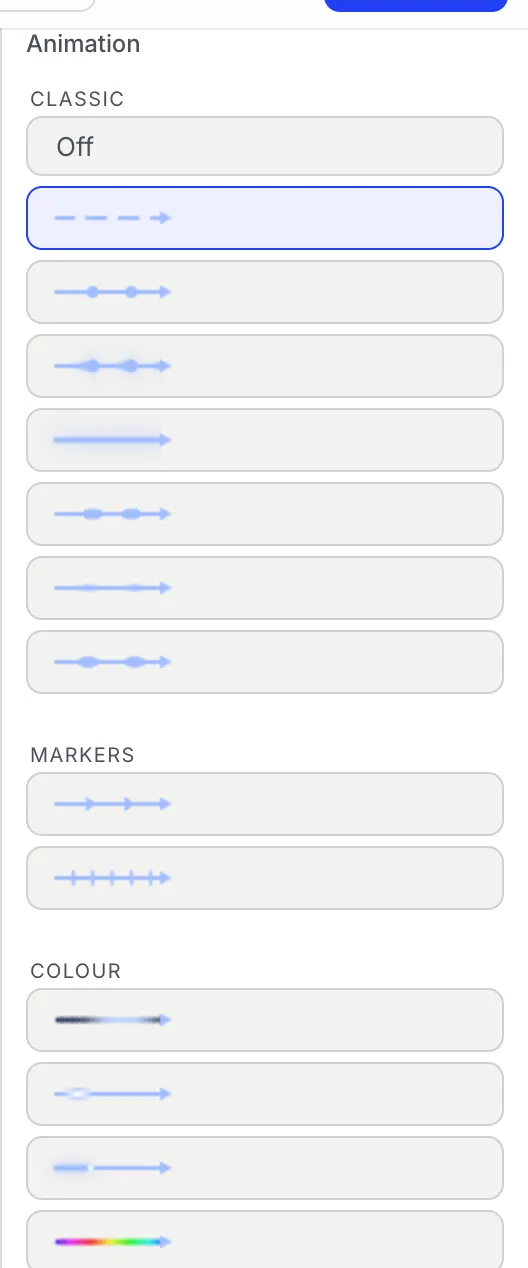
Select a connector. In the inspector on the right, open Motion and choose an effect under Animation: Dashes, Dots, Comet, Packet, Chevrons and fifteen more. Set its Speed, Direction, Density, Size and Colour. New connectors start with marching dashes already.
Step 3Make it play in order
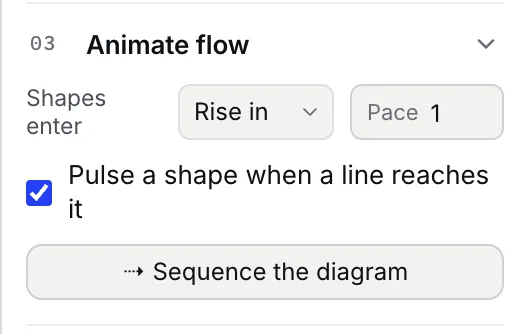
Click an empty part of the canvas, open Animate flow, choose how shapes enter (Rise in by default) and a Pace, then press Sequence the diagram. Motionix reads the arrows and makes each shape appear when the line into it arrives. Press play in the bar under the canvas to watch it.
Step 4Export the GIF
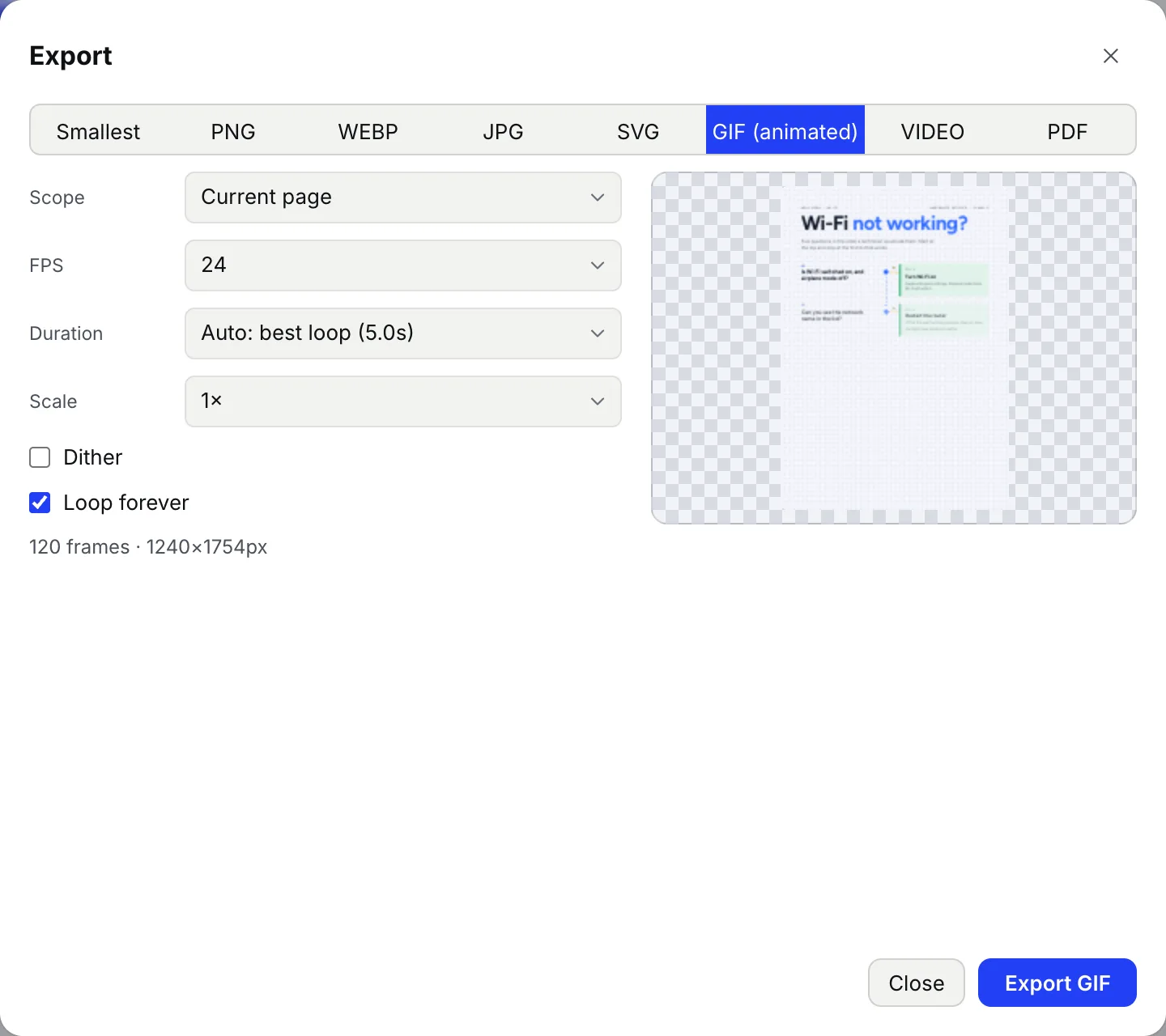
Press Export at the top right and choose GIF (animated). Duration is set to Auto: best loop, the length at which every flow and the build line up, so the GIF loops without a jump. Keep FPS at 24, pick a Scale, leave Loop forever on, and press Export GIF. GIF and video export come with Pro and Advanced. Everything before the export button is free.
Tips
- A GIF has at most 256 colours. Flat colours stay crisp; turn on Dither for gradients and soft glows.
- The dialog shows the frame count and pixel size before you export. A lower Scale or FPS makes a smaller file.
- For LinkedIn, X or slides, the VIDEO tab exports MP4 or WebM from the same timeline, usually far smaller than a GIF.
- Stills stay finished: PNG, SVG and PDF exports of the same page show every step in place.
Checked against Motionix on 2026-10-21.