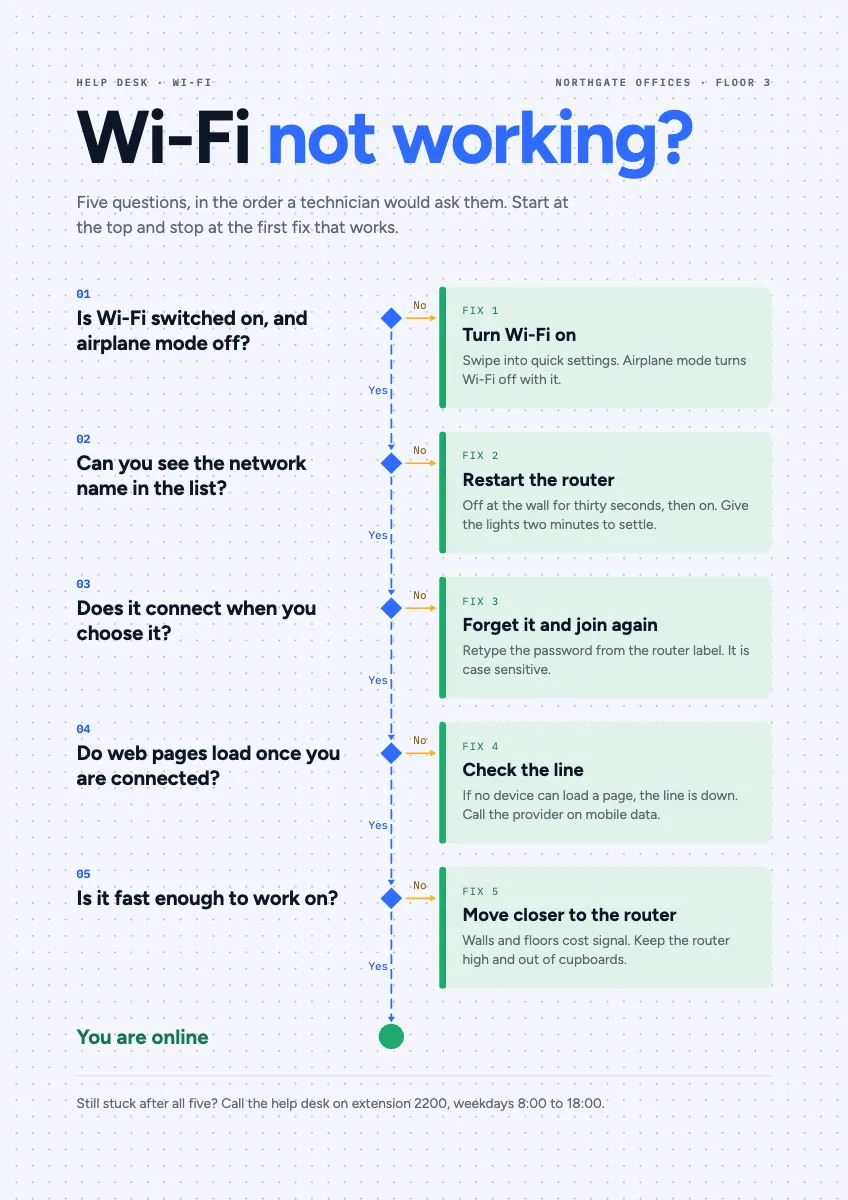
Free templateTroubleshooting flowchart
Wi-Fi not working?
A help desk flowchart for the office wall: five yes or no questions down one spine, each no stepping out to its fix.
Free. It opens in the Motionix editor as your own copy.
Download the pictureWebP, 848 × 1200, free to use. To change the words or colours, open it in the editor.
- Size
- 1240 × 1754 px
- Pages
- 1
- Motion
- Yes, plays live and in GIF or video
- Category
- Processes
What it shows
- Decision flowchart
- Fixes in their own column
- A4 poster
Good for
How to use it
- Open the template. It becomes a project in your account.
- Change the words, colours and pictures. Every part is an ordinary shape, line or text box.
- Press Play to watch it build, then present it or export it.
What is a troubleshooting flowchart?
A troubleshooting flowchart is a diagnostic guide made of yes or no questions, each leading either to the next question or to a fix. It walks someone through a problem in the order an expert would check it, starting with the quickest and most common causes, so most people solve the problem themselves before they need to call for help.
When it helps
- An office help desk pinning a Wi-Fi guide by the printer to cut the number of routine calls.
- A product support team turning its most common ticket into a self-service page.
- Training new technicians to diagnose in the same order every time, instead of guessing.
- A school or library posting a guide beside the projector, so lessons start on time.
Tips
- Weigh how likely each cause is against how long it takes to check. A quick, fairly common check, like airplane mode, belongs before a slow one, like resetting the router.
- Use the standard shapes: diamonds for questions, rectangles for actions, rounded ends for start and finish. People who have never studied flowcharts still follow that convention.
- Keep the yes path on one straight line down the page. When every no steps off to the side, readers always know where they are and where to rejoin.
How to make a troubleshooting flowchart
Pick one symptom
Start from a single problem as the user would describe it, such as the Wi-Fi is not working. One flowchart per symptom keeps the questions short and the answers clear.
List the causes in order
Write down every likely cause, then order them from the user's side outwards: device settings, then the network, then the connection, then the provider. Put quick and common checks first.
Turn each cause into a question
Phrase every check as a question with a clear yes or no answer, such as can you see the network name. Avoid questions that need technical knowledge to answer.
Give every no its fix
Each failed check should lead to one specific action, written in plain words, with any detail the user needs, like how long to leave the router switched off.
Add an exit to a person
End the chart with what to do when nothing has worked: who to call, the extension or email, and the hours they answer. Nobody should reach a dead end.
Test it on a beginner
Hand it to someone who has never fixed the problem and watch them use it. Every place they hesitate is a question that needs rewording.
FAQQuestions
Common questions.
What symbols are used in a troubleshooting flowchart?
The standard flowchart symbols: an oval or rounded rectangle for the start and end, a diamond for each yes or no question, a rectangle for each action or fix, and arrows to show the order. Labelling every arrow out of a diamond with yes or no keeps it unambiguous.
What are the basic steps of troubleshooting?
Most methods share the same shape: identify the problem, work out the likely causes, test them one at a time, fix what you find, check the fix worked, and record what happened. A flowchart is that method written down so anyone can follow it.
Why does restarting a router fix the internet?
Restarting clears the router's memory, ends stuck connections and makes it reconnect to the provider, which fixes many slow or dropped connections. Switch it off at the wall, wait about thirty seconds, then give it a few minutes to settle before testing again.
More processes templates
Flowcharts, procedures and step-by-step journeys.