Free templateJob post carousel
Pastry chef wanted
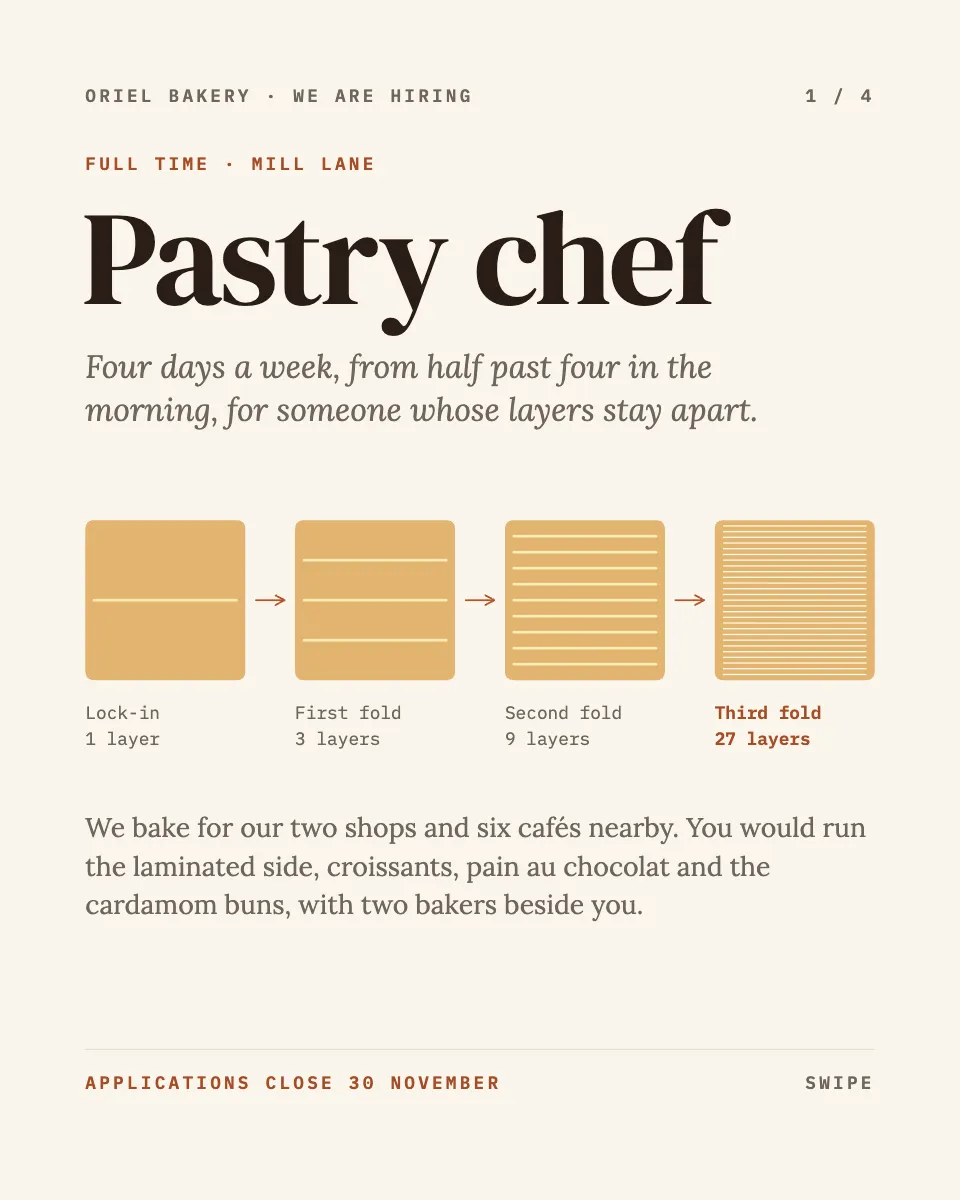
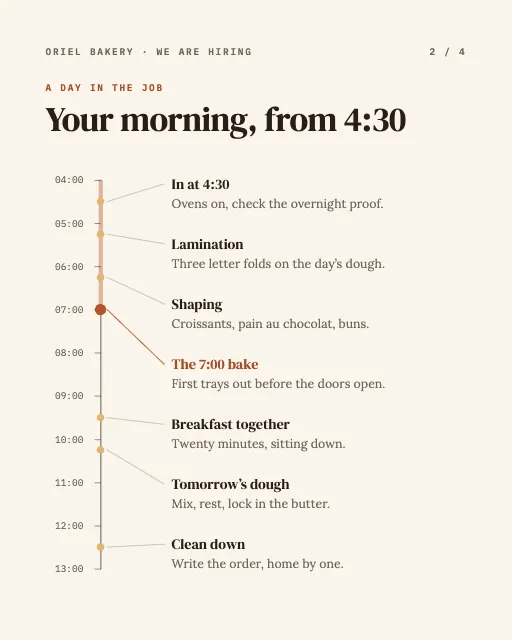
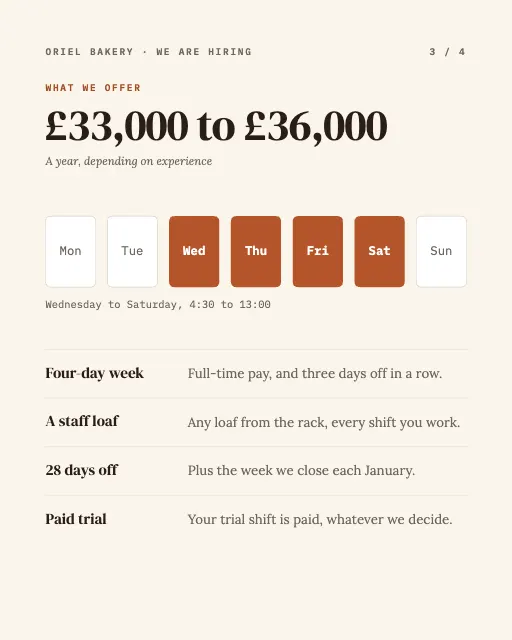
A bakery job post in four pages: lamination drawn fold by fold, the morning on a to-scale timeline, the four-day week and how to apply.
Free. It opens in the Motionix editor as your own copy.
Download the pictureWebP, 960 × 1200, free to use. To change the words or colours, open it in the editor.
- Size
- 1080 × 1350 px
- Pages
- 4
- Motion
- Yes, plays live and in GIF or video
- Category
- Social posts
Every page
 Page 2
 Page 3
 Page 4
What it shows
- A process drawn from the trade
- To-scale day timeline
- Week at a glance
Good for
How to use it
- Open the template. It becomes a project in your account.
- Change the words, colours and pictures. Every part is an ordinary shape, line or text box.
- Press Play to watch it build, then present it or export it.
What is a job post carousel?
A job post carousel advertises a vacancy over several swipeable slides instead of one block of text. Each page answers a question a candidate has: what the role is, what a typical day looks like, the pay and benefits, and how to apply. For skilled trades like baking, it can show the craft itself, which speaks to the right applicants better than a list of requirements.
When it helps
- A small bakery or restaurant hiring a skilled cook without paying for job board ads.
- A recruiter posting a role on LinkedIn or Instagram, where candidates scroll rather than search.
- A business with an unusual schedule, such as early starts, being upfront about the hours.
- An employer who wants applicants to send work samples, like photos, before a CV.
Tips
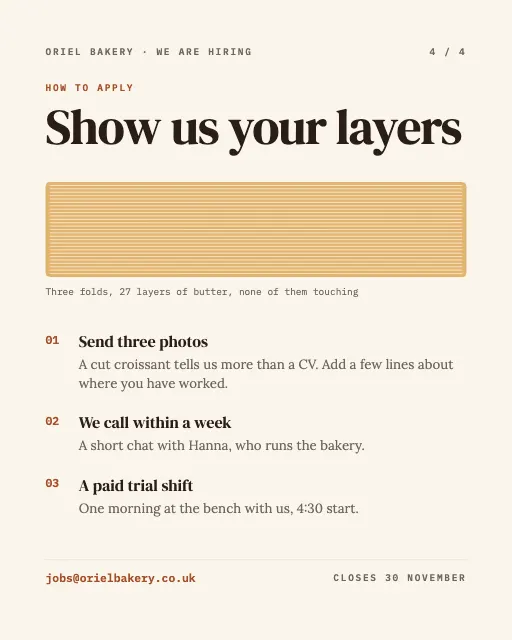
- Ask for evidence of the craft. Three photos of a cut croissant tell you more about a pastry chef in seconds than a CV does in two pages.
- Get the trade details right, because skilled candidates check. Three letter folds give 27 layers of butter, and any baker reading will count.
- Put the closing date on the cover and the last page; people save carousels and return to them, and a missing deadline invites applications after you have hired.
How to write a job post carousel
Lead with the role and hook
Name the job in large type on the first page, with one line on what makes it different, such as a four-day week or the work itself.
Show a real day
Lay out the shift on a timeline from start to finish. For an early bakery role, that means being honest that the day starts at half past four.
State the pay
Give the salary range and working pattern in plain numbers. Candidates weigh pay first, and leaving it out quietly loses the ones who will not ask.
List what you offer
Pick three or four concrete benefits, like a paid trial shift or a staff loaf every shift, rather than generic phrases about a great team.
Make applying easy
End with the steps: what to send, who will reply and how soon, and the closing date. An email address on the final page saves people hunting for it.
FAQQuestions
Common questions.
What should a job post include?
The job title, what the work involves, the hours and location, the pay or salary range, the main skills needed, the benefits and how to apply, with a closing date. On social media, keep each of these short and give each its own page or line.
Should you include salary in a job post?
Yes, wherever you can. Candidates use pay to decide whether to apply at all, and some places, including several US states and the EU under its pay transparency directive, now require pay ranges in job adverts or before interview.
How many layers are in a croissant?
It depends on the folds. A classic method locks butter into dough and gives it three letter folds, each tripling the layers, so one butter layer becomes 3, then 9, then 27. Some bakers use a book fold instead, which multiplies the layers by four.
More social posts templates
Carousels, stories and single posts for LinkedIn and Instagram.