Free templateRecipe Instagram story
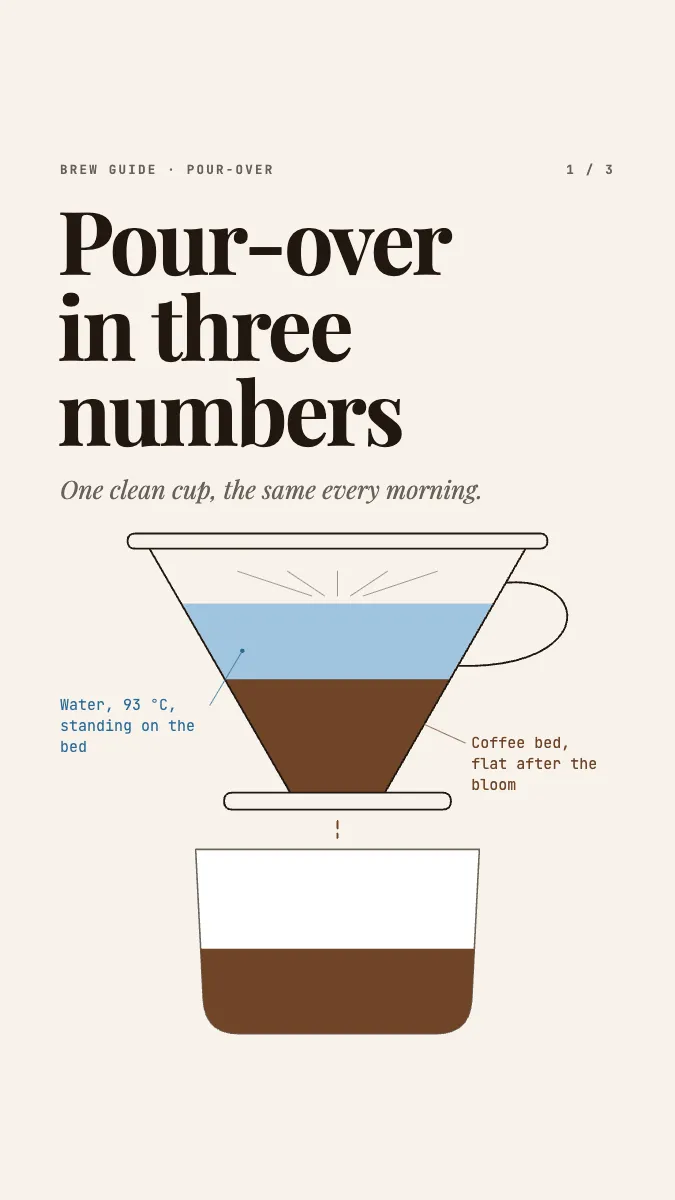
Pour-over in three numbers
A three-frame story for food creators: a drawn cone dripper, three big numbers, and the brew as a chart of water against time.
Free. It opens in the Motionix editor as your own copy.
Download the pictureWebP, 675 × 1200, free to use. To change the words or colours, open it in the editor.
- Size
- 1080 × 1920 px
- Pages
- 3
- Motion
- Yes, plays live and in GIF or video
- Category
- Social posts
Every page
 Page 2
 Page 3
What it shows
- Line drawing with dripping motion
- Big numbers
- Method as a chart
Good for
How to use it
- Open the template. It becomes a project in your account.
- Change the words, colours and pictures. Every part is an ordinary shape, line or text box.
- Press Play to watch it build, then present it or export it.
What is a recipe Instagram story?
A recipe Instagram story walks viewers through a recipe in a few full-screen vertical frames, each shown for a few seconds before the next. Because frames pass quickly, the best ones reduce a recipe to its essentials: the key quantities set large and the method shown as a picture or chart. Pour-over coffee suits the format, since it comes down to three numbers and a timed pour.
When it helps
- A café sharing its house pour-over recipe so customers can repeat it at home.
- A food creator teaching one technique a week in a short run of story frames.
- A roaster pairing a new bean with the dose, ratio and temperature it brews best at.
- Saving a recipe as a story highlight that followers can find long after posting.
Tips
- Weigh rather than measure by volume; a recipe given in grams works in any kitchen, while scoops and cups vary from home to home.
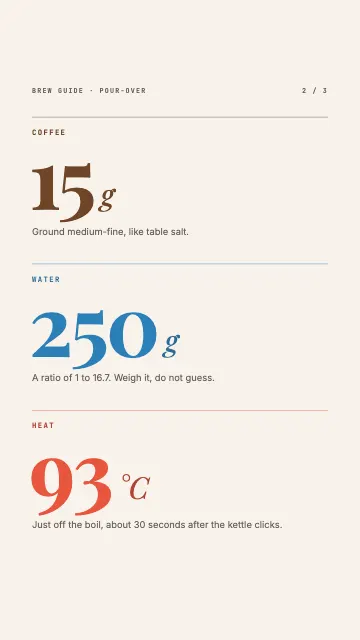
- Describe temperatures the way followers will use them. "Just off the boil, about 30 seconds after the kettle clicks" helps anyone without a thermometer.
- Add the story to a highlight named something like Recipes, so it outlasts the 24 hours a story normally stays up.
How to make a recipe story for Instagram
Set up the frame
Design at 1080 x 1920, the full vertical story size, and keep text clear of the top and bottom, where the profile name and reply bar sit.
Open with the result
Show the finished drink or dish on the first frame with a one-line promise, so viewers know why to keep tapping.
Give the key numbers big
Put the essential quantities in large type: for pour-over, 15 g coffee, 250 g water and 93 °C. Viewers should be able to screenshot one frame and brew from it.
Show the method in time
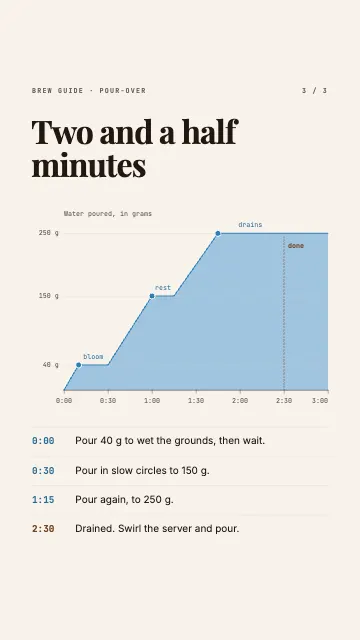
For anything timed, a short timeline or chart beats paragraphs: bloom with 40 g, pour to 150 g, then to 250 g, drained by two and a half minutes.
Keep each frame readable
One idea per frame, with enough time to read it. If a frame needs more than a few seconds, split it in two.
FAQQuestions
Common questions.
What is the best coffee to water ratio for pour-over?
Most recipes sit between 1:15 and 1:17 by weight. A common starting point is 15 g of coffee to 250 g of water, about 1:16.7. Use more coffee for a stronger cup, and grind finer or coarser to adjust the brew time.
What temperature should water be for pour-over coffee?
Around 90 to 96 °C, just off the boil, and many baristas aim for 93 °C. Hotter water extracts faster and suits lighter roasts; slightly cooler water can tame bitterness in darker roasts.
What is the bloom in pour-over coffee?
The bloom is the first small pour, about two to three times the weight of the coffee, left to sit for around 30 seconds. Freshly roasted grounds release carbon dioxide as they get wet, and letting that gas escape helps the rest of the water extract evenly.
More social posts templates
Carousels, stories and single posts for LinkedIn and Instagram.