Free templateCustomer testimonial post
Client testimonial
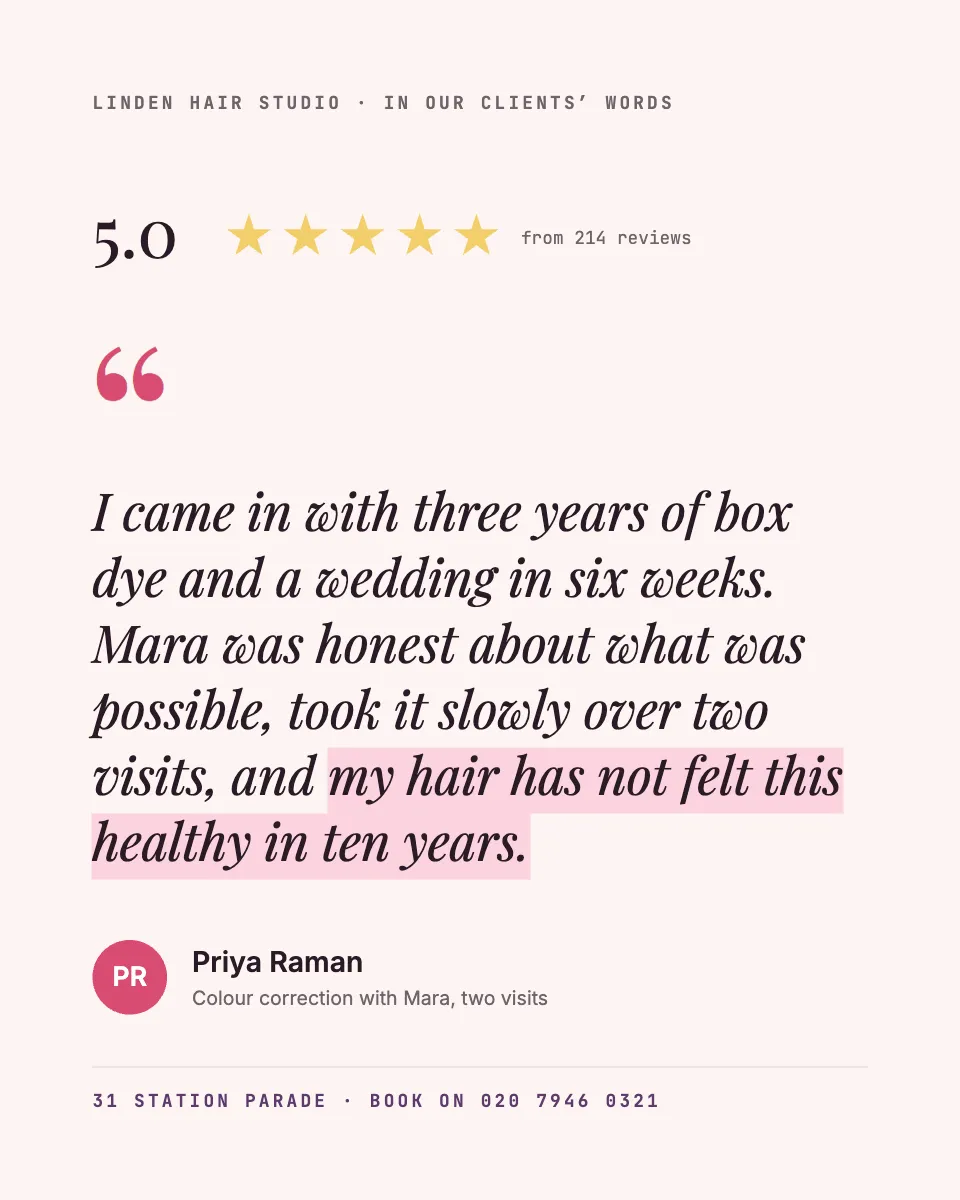
A salon or clinic review set large in a true italic, with a 5.0 rating drawn as five tinted stars and plenty of air.
Free. It opens in the Motionix editor as your own copy.
Download the pictureWebP, 960 × 1200, free to use. To change the words or colours, open it in the editor.
- Size
- 1080 × 1350 px
- Pages
- 1
- Motion
- Yes, plays live and in GIF or video
- Category
- Social posts
What it shows
- True italic quotation
- Drawn star rating
- Generous whitespace
Good for
How to use it
- Open the template. It becomes a project in your account.
- Change the words, colours and pictures. Every part is an ordinary shape, line or text box.
- Press Play to watch it build, then present it or export it.
What is a customer testimonial post?
A customer testimonial post shares a real client's words about a business as a social media image: the quote, their name, what they bought or booked and often a star rating. For salons, clinics and other local services, it does what a friend's recommendation does, showing a future customer that someone like them came in worried and left happy.
When it helps
- A salon sharing a colour correction review alongside its overall rating.
- A dental or physio clinic reassuring nervous new patients with words from past ones.
- A small business turning its best online review into the post for the week.
- A social media manager building a monthly series of client stories for a local brand.
Tips
- Name the service. "Colour correction, two visits" helps the right future client recognise themselves, while a quote without context could be about anything.
- Show the review count beside a star rating. A 5.0 from 214 reviews is convincing; a 5.0 with no count looks hand-picked even when it is not.
- Never post a testimonial you wrote yourself or paid for without saying so; advertising rules in many countries treat fake or undisclosed reviews as misleading.
How to make a testimonial post
Ask permission first
Contact the client, show them how their words will appear and agree how their name is shown. Full name, first name or initials all work if they are happy.
Choose a specific review
Pick one that tells a short story: what the problem was, what you did and what changed. "Three years of box dye and a wedding in six weeks" beats "great service".
Trim without changing the meaning
Shorten if you must, but never reword their sentences or add praise. Edits that change what someone said make the testimonial untrue.
Set the quote large
Make the words the biggest thing on the page, in a readable italic or serif, with plenty of space around them. Mark the one line worth remembering.
Add name, service and rating
Under the quote, give the client's name, the service or treatment and, if you show a rating, the number of reviews behind it.
FAQQuestions
Common questions.
Do you need permission to share a customer review?
It is good practice to ask, and for anything beyond reposting a public review, you should. Tell the customer where it will appear and how they will be named. A written yes, even a short message, protects both of you.
What makes a good testimonial?
Specific detail. The best ones say what the customer was worried about, what you did and the result, in their own words. A named service and a real name or initials make it believable, and one sentence that captures the change is worth more than a paragraph of praise.
Can I edit a customer testimonial?
You can shorten it or fix an obvious typo, as long as the meaning stays the same and the customer approves the result. You should not add words, merge different reviews into one or soften criticism into praise.
More social posts templates
Carousels, stories and single posts for LinkedIn and Instagram.