Free templateDecision tree
Should you take the job?
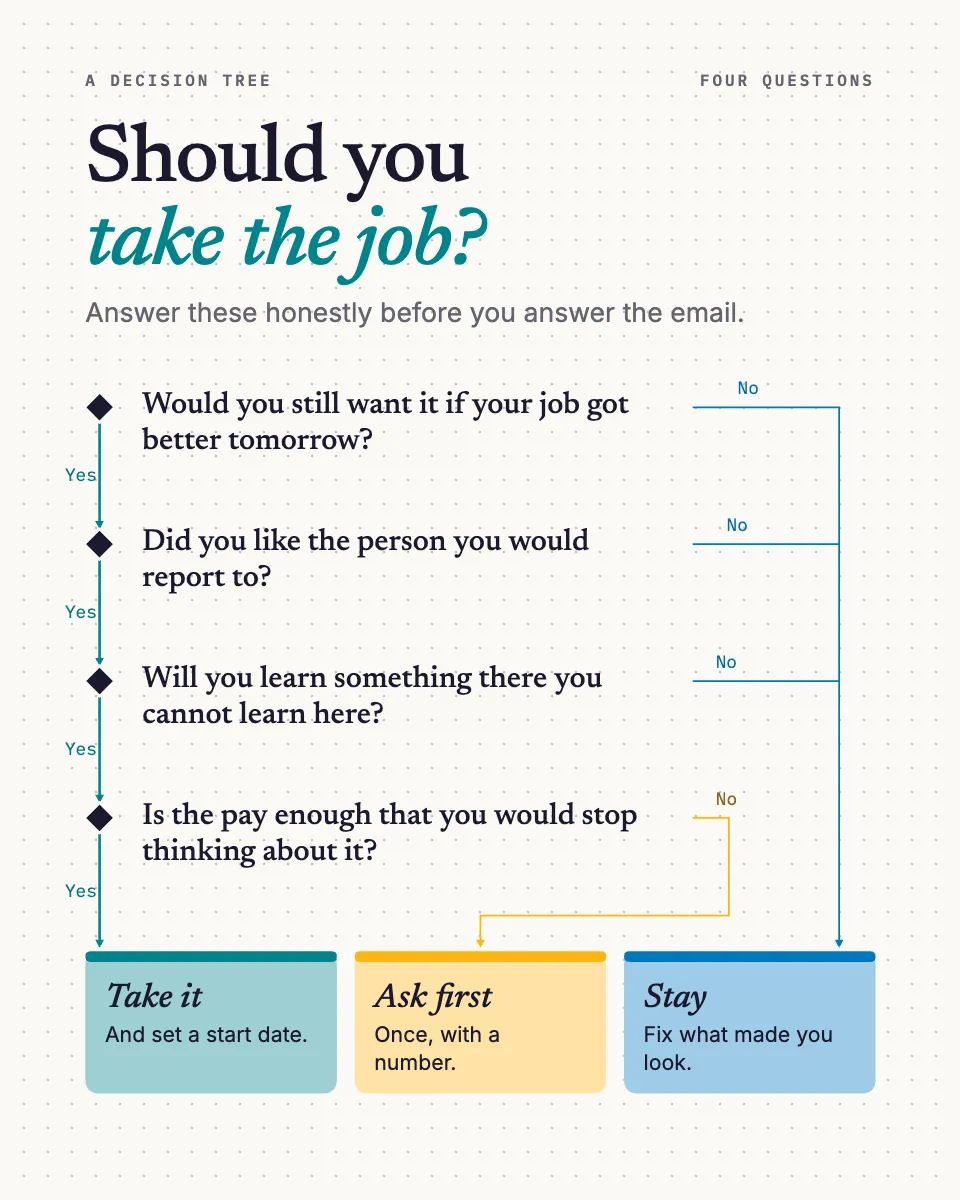
A personal decision tree for a 4:5 post: four honest questions, every no draining to one of three outcomes.
Free. It opens in the Motionix editor as your own copy.
Download the pictureWebP, 960 × 1200, free to use. To change the words or colours, open it in the editor.
- Size
- 1080 × 1350 px
- Pages
- 1
- Motion
- Yes, plays live and in GIF or video
- Category
- Processes
What it shows
- Decision tree
- Branches that drain to outcomes
- Big type for a phone
Good for
How to use it
- Open the template. It becomes a project in your account.
- Change the words, colours and pictures. Every part is an ordinary shape, line or text box.
- Press Play to watch it build, then present it or export it.
What is a decision tree?
A decision tree is a diagram that breaks a choice into a series of questions, with each answer branching to the next question until every path ends in an outcome. It makes reasoning visible: you can see which answers lead where and why. Decision trees are used for personal choices, business decisions, medical triage and, in computing, as a type of machine learning model.
When it helps
- A careers coach posting a quick way to think through a job offer before replying.
- Helping a friend decide whether to move city by making the deciding questions explicit.
- A manager setting out when a request should be escalated, approved or declined.
- Teaching how branching logic works before introducing decision trees in data science.
Tips
- Put the question that rules out the most options first. A good tree settles most cases in one or two steps instead of forcing every reader through every question.
- Word questions so the answer is honest, not flattering. Would you still want this if nothing else changed is harder to fool yourself on than do you want this.
- In formal decision analysis, use squares for choices, circles for chance events and triangles for end results. Personal and flowchart-style trees can stay simpler.
How to make a decision tree
State the decision
Write the decision as one clear question at the top, such as should you take the job. Everything below it should help answer that question and nothing else.
List the possible outcomes
Decide the endings first, such as take it, negotiate first or stay. Three or four outcomes keep a personal tree useful; more usually means the question is too broad.
Choose the deciding questions
Pick the few questions that genuinely change the answer, and put the one most likely to settle it first. Each should have an honest yes or no answer.
Draw the branches
Connect each answer to the next question or to an outcome. Every path must end somewhere, and no branch should be left hanging without a result.
Test it on real cases
Run a few past decisions through the tree. If it gives an answer you know was wrong, a question is missing or sits in the wrong place.
FAQQuestions
Common questions.
What are the parts of a decision tree?
A decision tree has a root node, the first question or decision; branches, the possible answers or options; internal nodes, the questions that follow; and leaf or end nodes, the final outcomes. In decision analysis, chance nodes are added where an outcome depends on uncertain events rather than a choice.
What is the difference between a decision tree and a flowchart?
A flowchart shows the steps of a process, which can include loops and actions as well as decisions. A decision tree only branches: it starts with one question and splits until every path ends in an outcome, with no loops. Every decision tree can be drawn as a flowchart, but not the reverse.
How do you use a decision tree to make a decision?
Start at the top and answer each question honestly, following the branch that matches your answer until you reach an outcome. For bigger decisions, you can add the probability and value of each outcome and work backwards to compare options by expected value.
More processes templates
Flowcharts, procedures and step-by-step journeys.