Free templateLessons
Cornell notes
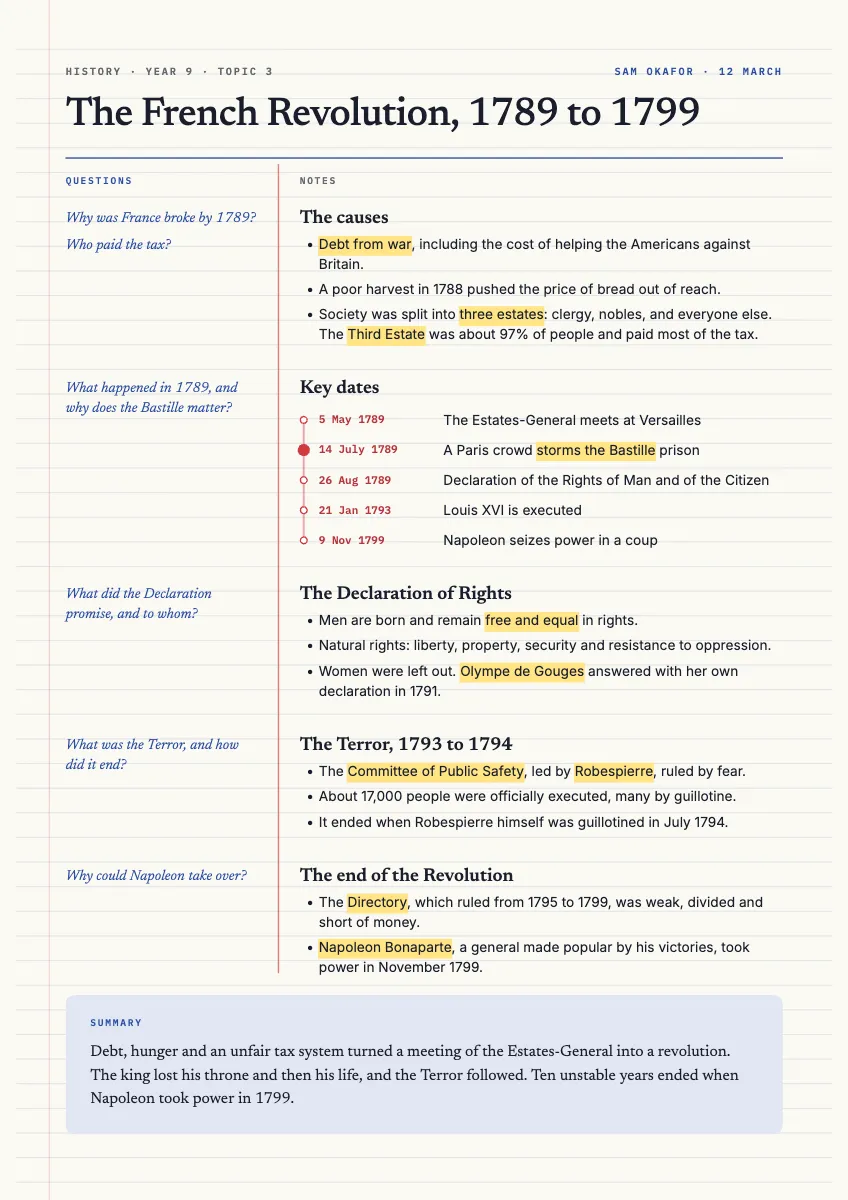
An A4 page of Cornell notes on the French Revolution: questions in the margin, notes with highlighted key terms, a true timeline and a summary.
Free. It opens in the Motionix editor as your own copy.
Download the pictureWebP, 848 × 1200, free to use. To change the words or colours, open it in the editor.
- Size
- 1240 × 1754 px
- Pages
- 1
- Motion
- Yes, plays live and in GIF or video
- Category
- Lessons
What it shows
- Cornell layout
- Highlighter marks on key terms
- A small true timeline
Good for
How to use it
- Open the template. It becomes a project in your account.
- Change the words, colours and pictures. Every part is an ordinary shape, line or text box.
- Press Play to watch it build, then present it or export it.
What are Cornell notes?
Cornell notes are a way of laying out a page so that it becomes a revision tool. The page is split into a narrow cue column on the left, a wider notes column on the right and a summary box along the bottom. Notes go on the right during the lesson; questions and key terms go in the cue column afterwards, and a few sentences of summary close the page.
When it helps
- Secondary pupils taking notes in a history lesson that they will later turn into revision questions.
- University students reading a set chapter who want to test themselves before a seminar.
- Teachers modelling good note-taking with a filled-in page on a topic the class knows.
- Exam revision by covering the notes column and answering the cue questions aloud.
Tips
- Write cues as questions, not headings; a question forces you to recall the answer, while a heading only reminds you the topic exists.
- Highlight sparingly, two or three key terms per section at most. A page that is mostly yellow tells you nothing about what matters.
- Small diagrams and timelines belong in the notes column too. The method is about the layout and the review, not about writing only words.
How to take Cornell notes
Rule the page
Draw a vertical line roughly a third of the way across, leaving a narrow left column. Keep five to seven lines free at the bottom for the summary, and put the topic and date at the top.
Take notes on the right
During the lesson, write short points rather than full sentences. Start a heading for each new idea and leave gaps so you can add to them later.
Write cues within a day
Soon after the lesson, reread your notes and write questions or keywords in the left column beside each section. "Why was France broke by 1789?" is a better cue than "Causes".
Summarise at the foot
In three or four sentences of your own words, say what the whole page was about. If you cannot, the notes have a gap worth filling.
Test yourself with the cues
Cover the notes column, read each question and answer it aloud. Uncover to check, and mark anything you got wrong to come back to.
FAQQuestions
Common questions.
Who invented the Cornell note-taking method?
Walter Pauk, an education professor at Cornell University, developed it in the 1950s and described it in his book How to Study in College. It was designed for university students but is now widely taught in secondary schools.
Do Cornell notes actually help you learn?
They help mostly because of what they make you do afterwards: write questions, summarise and test yourself. Testing yourself and summarising are well-established study habits. Notes ruled into columns but never reviewed give little more than ordinary notes.
Can you do Cornell notes digitally?
Yes. A two-column table with a merged row at the bottom works in any word processor, and many note apps offer a Cornell layout. Some students find that writing by hand makes them condense ideas more, but the cue, notes and summary structure works either way.
More lessons templates
Concepts, processes and revision pages for classrooms and courses.