Free templateAudiogram quote card
Podcast clip quote card
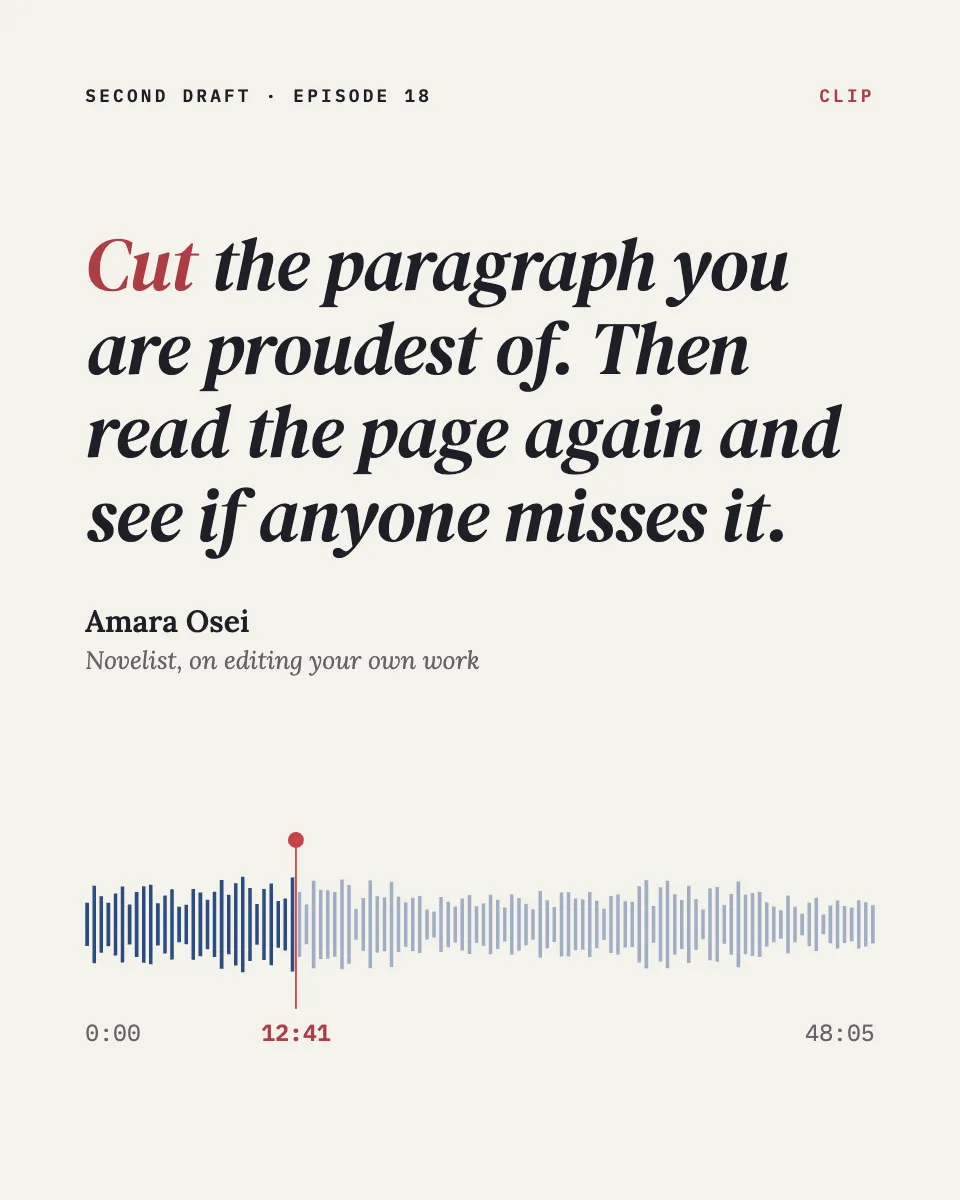
An audiogram quote card for a podcast clip: the line set large, the speaker, and the waveform with the playhead at 12:41.
Free. It opens in the Motionix editor as your own copy.
Download the pictureWebP, 960 × 1200, free to use. To change the words or colours, open it in the editor.
- Size
- 1080 × 1350 px
- Pages
- 1
- Motion
- Yes, plays live and in GIF or video
- Category
- Covers
What it shows
- Computed speech waveform
- Playhead at a real timestamp
- Quote in true italic
Good for
How to use it
- Open the template. It becomes a project in your account.
- Change the words, colours and pictures. Every part is an ordinary shape, line or text box.
- Press Play to watch it build, then present it or export it.
What is an audiogram quote card?
An audiogram is a short clip of podcast audio turned into a video: a still or lightly animated card carrying the quote, the speaker, the show and a waveform that moves with the sound. A quote card is the same design as a still image. Both promote an episode on social feeds, where many people scroll with the sound off, so the words on the card carry the clip.
When it helps
- Promoting a new episode with its best moment of 30 to 60 seconds on Instagram or LinkedIn.
- Highlighting a guest's line so the guest is glad to share it with their own followers.
- Building a bank of quotes to post in the quiet days between episodes.
- Pointing listeners to the exact timestamp in the episode where the clip comes from.
Tips
- Burn captions into the audiogram video. With the sound off, a moving waveform tells viewers nothing; only the words do the work.
- Cut the clip at the end of a thought, not mid-sentence. A clean ending leaves people wanting the rest of the conversation.
- Trim a quote with care but never change its meaning. Guests notice, and an accurate quote is one they are happy to reshare.
How to make an audiogram quote card
Find a line that stands alone
Choose a quote that makes sense without context and says something specific. A useful test is whether it would work as a headline for the whole episode.
Use a 4:5 portrait canvas
At 1080 x 1350, a portrait card fills more of a phone feed than a square. Make a 1080 x 1920 version if the clip will also run as a Story or Reel.
Set the quote large
Give the quote most of the card, in a readable serif or italic. Colour one word, perhaps the verb, so the line has a clear point of entry.
Credit the speaker clearly
Put the speaker's name and a short role under the quote, for example novelist, on editing your own work. People share quotes from people they can place.
Show where it comes from
Add the show name, the episode number and a waveform with a playhead at the clip's real timestamp, so listeners can find the moment in the full episode.
FAQQuestions
Common questions.
What is an audiogram on social media?
It is a short video made from podcast audio, combining a static or animated image, a waveform and usually captions. Because social video often plays muted, audiograms rely on the text on screen to stop people scrolling and make them want to listen.
How long should an audiogram be?
Most work best between 30 and 60 seconds: long enough for one complete thought, short enough to watch mid-scroll. Platforms allow much longer videos, but a single strong moment usually earns more listens than a long excerpt.
What size is an Instagram quote post?
A portrait post at 1080 by 1350 pixels, a 4:5 ratio, is a common choice because it fills more of the feed than a square; 1080 by 1080 also works. For Stories and Reels, use 1080 by 1920 and keep text away from the top and bottom.
More covers templates
Thumbnails, episode covers, banners and headers.