Free templateBlog post header
Electricity bill article header
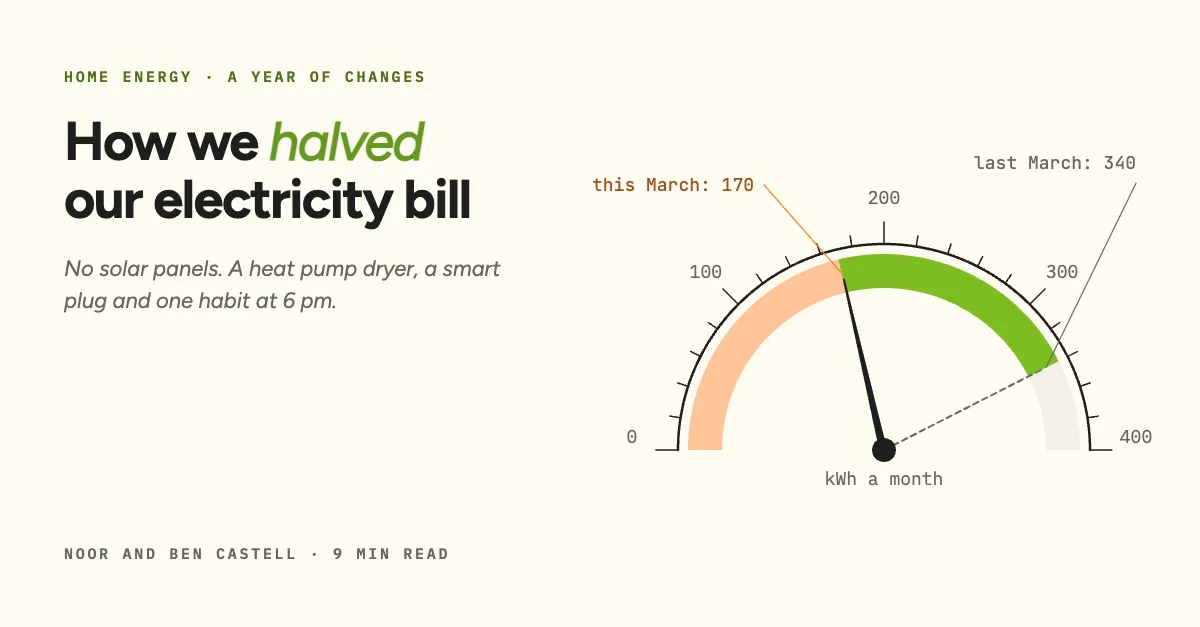
A blog header with a drawn meter dial: last March left as a ghost at 340 kWh, the needle swinging back to 170.
Free. It opens in the Motionix editor as your own copy.
Download the pictureWebP, 1200 × 627, free to use. To change the words or colours, open it in the editor.
- Size
- 1200 × 627 px
- Pages
- 1
- Motion
- Yes, plays live and in GIF or video
- Category
- Covers
What it shows
- Needle that swings on its hub
- Dial computed from a scale
- Saved band in a tint
Good for
How to use it
- Open the template. It becomes a project in your account.
- Change the words, colours and pictures. Every part is an ordinary shape, line or text box.
- Press Play to watch it build, then present it or export it.
What is a blog post header?
A blog post header, often called the featured or hero image, is the picture at the top of an article that also appears on the blog's index pages and as the preview when the post is shared. A size of 1200 x 627 or 1200 x 630 pixels suits most share cards. The best headers show the article's central idea in one picture, such as a meter dial for a piece about cutting electricity use.
When it helps
- Household or money bloggers illustrating a before and after result with one number.
- Company blogs that want headers in one consistent style across many authors.
- Articles shared on LinkedIn, where the header becomes the preview image in the feed.
- Blog index pages and related-post cards that show each featured image as a tile.
Tips
- Check how your theme crops the featured image on index pages and cards; many use a different ratio, so keep the subject near the centre.
- A hero image is often the heaviest file on the page, so compress it before upload to keep the article loading quickly on mobile.
- Agree a house style of colours, fonts and grid, so headers made by different authors still look like one publication.
How to make a blog post header
Find the one measurable thing
Most how-to articles have a number at their heart, such as 340 kWh a month falling to 170. Build the image around that number instead of a stock photo of the topic.
Choose a familiar visual form
A dial, a gauge, a receipt or a pair of bars is understood instantly. Familiar forms let readers decode the image in a single glance.
Show the change, not just the result
Leave the old value faintly visible, as a ghost needle or a dashed line, beside the new one. The gap between them is the story of the article.
Pair it with the headline
Set the article title on one side with a short standfirst, or leave text out entirely if the blog already prints the title above the image.
Write the alt text
Describe what the image shows in its alt text, including the key numbers. It serves screen reader users and gives search engines context about the picture.
FAQQuestions
Common questions.
What size should a blog header image be?
1200 by 630 pixels is a safe default: wide enough for most blog layouts and the same shape social platforms use for link previews. Some themes show headers wider, at 1600 or 1920 pixels across, so check your theme's recommended size.
What is a featured image in a blog post?
It is the main image assigned to a post, which the blog shows at the top of the article, on index and category pages, and often as the Open Graph image for social shares. In WordPress it is a dedicated setting on every post.
Do blog posts need a header image?
Not strictly, but most benefit. A header gives the post a strong share preview, makes the blog index easier to scan and sets the tone before the first paragraph. A well-made diagram or chart often does this better than a generic photo.
More covers templates
Thumbnails, episode covers, banners and headers.