Free templateLinkedIn banner
Consultant LinkedIn banner
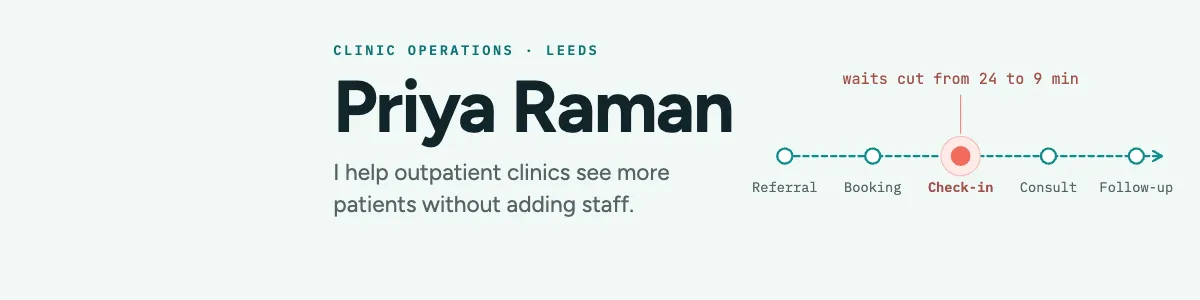
A LinkedIn banner for a clinic operations consultant: a patient path with the fixed step marked, clear of the profile photo.
Free. It opens in the Motionix editor as your own copy.
Download the pictureWebP, 1200 × 300, free to use. To change the words or colours, open it in the editor.
- Size
- 1584 × 396 px
- Pages
- 1
- Motion
- Yes, plays live and in GIF or video
- Category
- Covers
What it shows
- Avatar zone kept clear
- Flowing process line
- One marked step
Good for
How to use it
- Open the template. It becomes a project in your account.
- Change the words, colours and pictures. Every part is an ordinary shape, line or text box.
- Press Play to watch it build, then present it or export it.
What is a LinkedIn banner?
A LinkedIn banner is the background image behind your photo at the top of a LinkedIn profile. For a personal profile the recommended size is 1584 x 396 pixels, a 4:1 strip. Your round profile photo overlaps part of its left side, and the mobile app crops it differently from a laptop, so the message belongs to the right of the photo and away from the edges.
When it helps
- Consultants showing in one line who they help and what changes when they do.
- Freelancers who want a profile visit to explain their work before anyone reads the summary.
- Specialists, such as healthcare operations experts, signalling their field with a relevant picture.
- Speakers and authors promoting a current talk, book or offer for a season.
Tips
- Your headline already sits under the banner, so do not repeat it word for word; use the image to show what the headline only states.
- Keep the text to two lines at most. Visitors glance at the banner on their way down to your experience, not stopping to read paragraphs.
- Avoid generic skyline or laptop photos. A visual specific to your field marks you as a specialist and is far easier to remember.
How to make a LinkedIn banner
Leave the photo zone empty
On a 1584 x 396 canvas, keep roughly the left quarter clear of text, since the profile photo overlaps it. Start your name or message to the right of that.
Write a one-line promise
Say who you help and the result in plain words, for example I help outpatient clinics see more patients without adding staff. It reads faster than a list of services.
Picture your method
A simple process line with labelled steps, such as referral through to follow-up, makes an abstract service concrete. Mark the step you improve in a contrasting colour.
Add one proof point
A single measured result beside the marked step, like waits cut from 24 to 9 minutes, does more than adjectives. Only use numbers you can stand behind if asked.
Check on laptop and phone
Upload the image, then view your profile on a laptop and in the LinkedIn app. Move anything hidden by the photo, the edit button or the mobile crop.
FAQQuestions
Common questions.
What size is a LinkedIn banner?
For a personal profile, LinkedIn recommends 1584 by 396 pixels, a 4:1 ratio, uploaded as a JPG or PNG under 8 MB. Company pages use a different cover size, so check which kind of page you are designing for before you start.
What should I put on my LinkedIn banner?
One clear message about who you help, a visual linked to your field, and perhaps a proof point or a way to get in touch. Keep it uncluttered and leave the photo area empty. Logos, service lists and small text rarely survive at banner size.
Why does my LinkedIn banner look cropped on mobile?
The app shows the banner at a different shape and places the profile photo differently, so the edges and part of the left side disappear. Keep essential words towards the centre and right of the image, and check it on a phone after uploading.
More covers templates
Thumbnails, episode covers, banners and headers.